TABLE OF CONTENTS
Here’s a cleaned-up and structured version of your IQSMS–Yonder integration documentation in clear, professional technical English. I’ve organized it into sections, simplified the text for readability, and preserved all the important details:
Introduction
IQSMS is a specialized software solution by ASQS designed for auditing airline documentation and ensuring compliance with relevant regulations, including IOASA and EASA standards.
The Yonder–IQSMS interface allows customers to manage and review documentation in Yonder alongside corresponding regulations stored in IQSMS. This integration provides:
Notifications about regulatory updates
Automated change alerts for affected content
The integration establishes a bidirectional connection between the two systems:
In IQSMS: Auditors can link regulations to actual Yonder content. IQSMS provides clickable buttons that open the corresponding regulation in Yonder.
In Yonder: Users can identify which modules link to specific regulations. Clicking these links opens the relevant regulation in IQSMS.
This setup allows customers to review and update documentation promptly to maintain compliance with the latest regulations.
Thesaurus
| IQSMS Term | Yonder Term | Comment |
|---|---|---|
| Regulation | Document | A regulation contains a set of amendments; a Yonder document can contain one or more regulations. |
| Amendment | Document version (Revision) | A version of a regulation |
| Paragraph | Module | A single paragraph in an amendment |
| Predecessor ID | - | ID of an earlier amendment version |
| Import | Import | Import of IQSMS regulations into Yonder |
| Export | Export | Export of links between Yonder documents and IQSMS regulations, providing quick access within IQSMS |
Interface Setup
Before importing IQSMS regulations, the integration must be configured:
Required information from ASQS: API URL, Username, Password
Role required in Yonder: iqsms_admin
Steps:
Access the IQSMS Settings screen in Yonder.
Enter the credentials and click Save.
Wait for the status indicator:
Green: Connected
Red: Problem with credentials
Notes:
The indicator may take a few seconds to update.
The URL must be a complete HTTPS address (e.g.,
https://youraccount.asqs.net).
IQSMS General Screen
The IQSMS Importer tab shows all regulations imported via IQSMS. This functionality is visible only to subscribers of the IQSMS connector.
Overview Columns
| Column | Description |
|---|---|
| Regulation | Name of the regulation. Clicking + expands the list to show all versions. |
| Regulation ID | Unique identifier for the regulation. |
| Amendment ID | Unique identifier for the amendment. |
| Predecessor ID | ID of the previous amendment version. |
| Effective | Effective From date of the regulation. |
| Status | Status of the regulation: Imported, Available, Obsolete |
| Action | Click the download icon to import the regulation into Yonder. Imported documents appear in the Admin Console under Documents. |
Notes:
The list can be sorted by clicking the arrows in the Regulation column.
Clicking the download icon triggers the import job, which is visible under Jobs in the Admin Interface.
General Functions
The IQSMS interface supports the following:
Import and display IQSMS regulations in Yonder
Import updated IQSMS regulations
Generate automated Change Requests (CR) for linked Yonder targets when a regulation changes
Export links to IQSMS to allow auditors to open linked Yonder content directly from IQSMS
Importing IQSMS Regulations
Regulations are imported via the IQSMS Importer tab in the Admin UI.
The API delivers all regulations and their amendments for the customer.
Each regulation is stored as a document in Yonder.
Each amendment standard is stored as a module within the document.
Initial Regulation Import:
Any regulation version can be imported as the initial version (usually the most recent).
Triggered by clicking the import button.
Regulation Updates:
Only subsequent versions can be imported if a version has already been imported.
Omitting versions can prevent accurate change detection.
Validation:
Before import, a validation is performed.
If successful, a popup appears and the import status changes to Running...
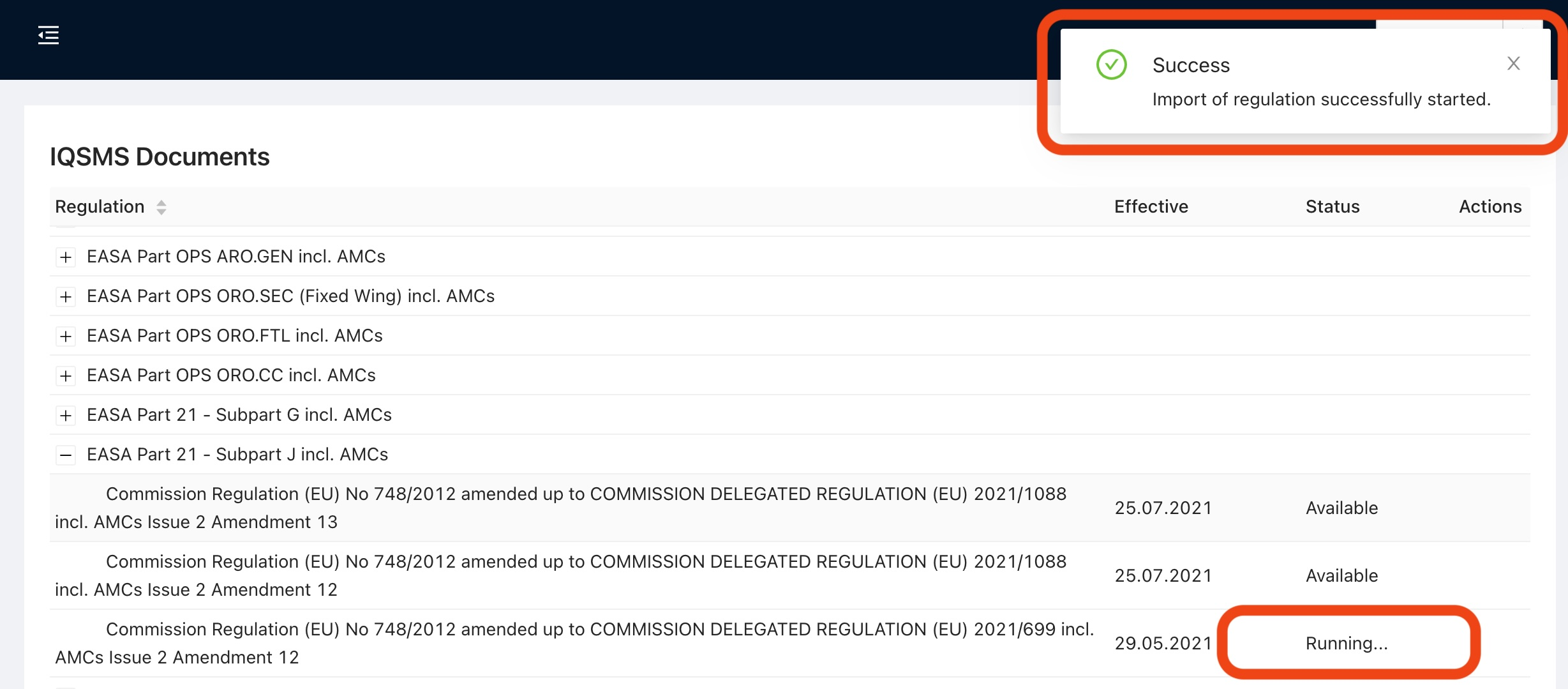
When complete, the status changes to Imported.

Linking Yonder Modules to IQSMS Regulations
Use the legal link type to connect Yonder modules to IQSMS regulations.
Each link connects a module in Yonder to the corresponding regulation target in IQSMS.
Importing Updated IQSMS Regulations
Updates run every 24 hours.
The system checks for new amendments.
Updated standards are matched by predecessor ID, and new module versions are created in Yonder.
Automated Change Requests (CRs) are generated for affected modules, notifying document owners.
Exporting Links to IQSMS
Yonder API can be queried by IQSMS (typically every 24 hours).
Each link includes:
IQSMS regulation ID and version
IQSMS standard ID
Deep link to the Yonder module
Yonder exports the complete link list; IQSMS handles any changes to links.
Show Hidden Regulations Toggle
A toggle switch has been added to the ISM Importer view in the Admin panel. This allows administrators to display all regulations, including those previously hidden.
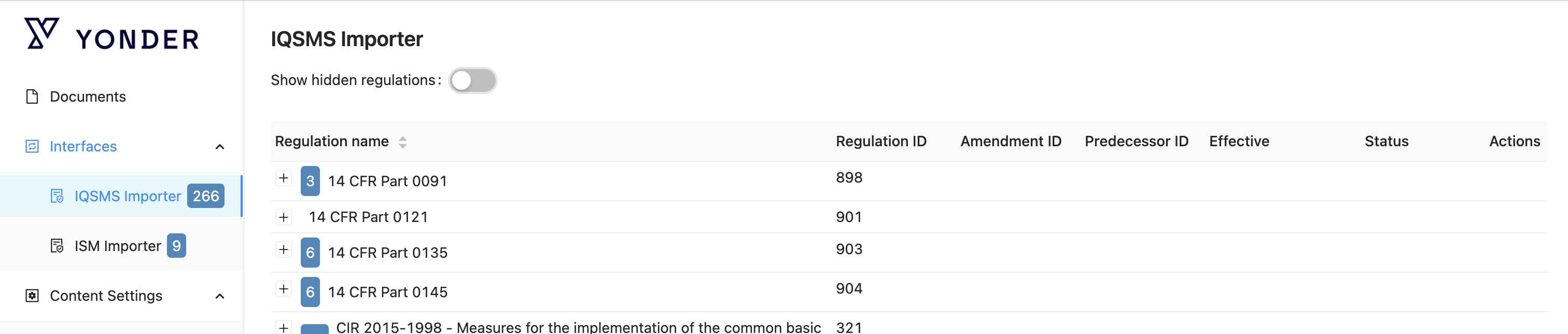
Location
Admin Panel → IQSMS/ISM Importer tab
Functionality
Toggle ON → All regulations are displayed, including hidden ones.
Toggle OFF → Only visible regulations are displayed (default behavior).
Technical Details
The toggle adds a query parameter to the API request for
/regulations/hierarchy.showHidden=true→ returns all regulationsshowHidden=falseor omitted → returns only visible regulations
The table/list of regulations updates dynamically when the toggle is changed.
The toggle state is persisted per admin session.
Notes
Hidden regulations are included in the view for reference or administrative purposes.
Default behavior remains unchanged when the toggle is off.
Logic
Prerequisites:
Regulation IDs and Amendment IDs must be unique.
Amendment Grouping:
Amendments are grouped based on the predecessor field.
A new regulation ID without a predecessor is treated as a new document.
Was this article helpful?
That’s Great!
Thank you for your feedback
Sorry! We couldn't be helpful
Thank you for your feedback
Feedback sent
We appreciate your effort and will try to fix the article