TABLE OF CONTENTS
ISM (IOSA Standards Manual)
The IOSA Standards Manual (ISM) is delivered via IQSMS.
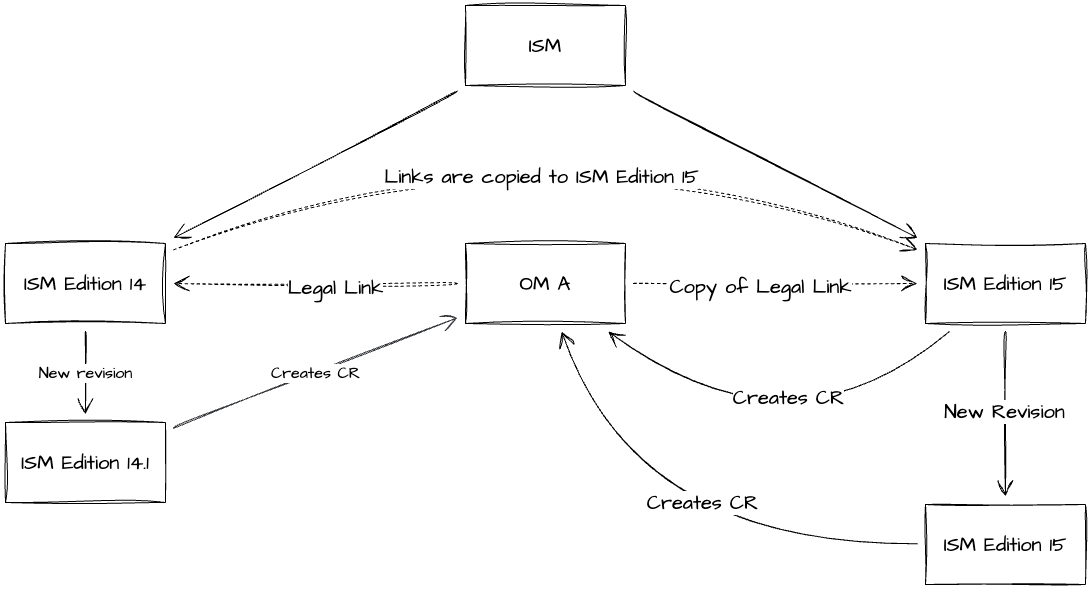
The ISM can have multiple concurrent valid editions, each with independent updates.
Updates may occur out of chronological order.
Minor revisions can be made to older editions while working on new editions.
Manage ISM Documents
THe ISM documents are available in a dedicated section under:
Yonder Admin Console > ISM Importer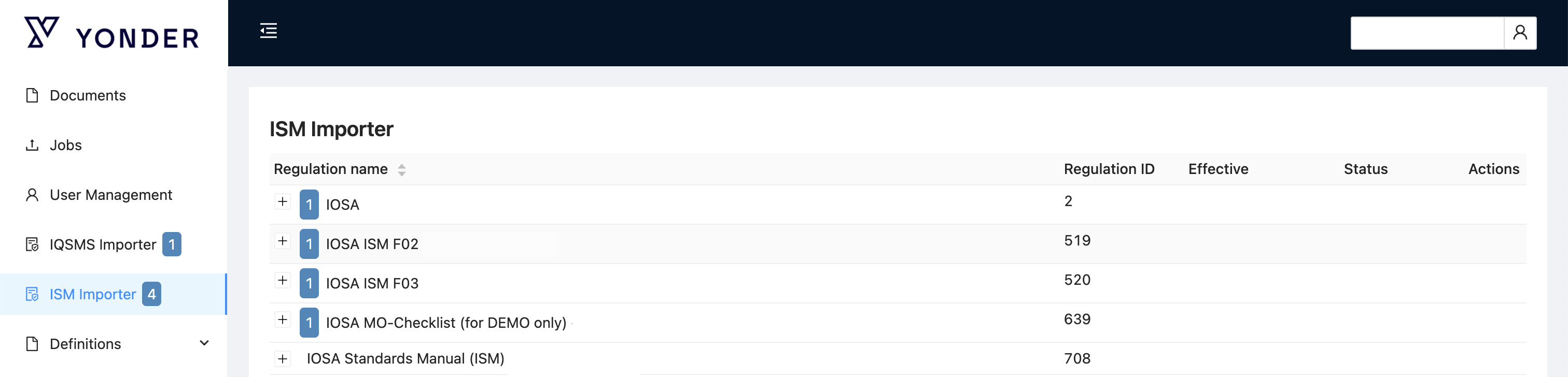
Each version is displayed as a separate document.
New editions are added automatically when released.
Only amendments with imported predecessors show the import button.
Important:
Once a branch of amendments is abandoned by IQSMS, versions cannot be merged back together.
Show Hidden Regulations Toggle
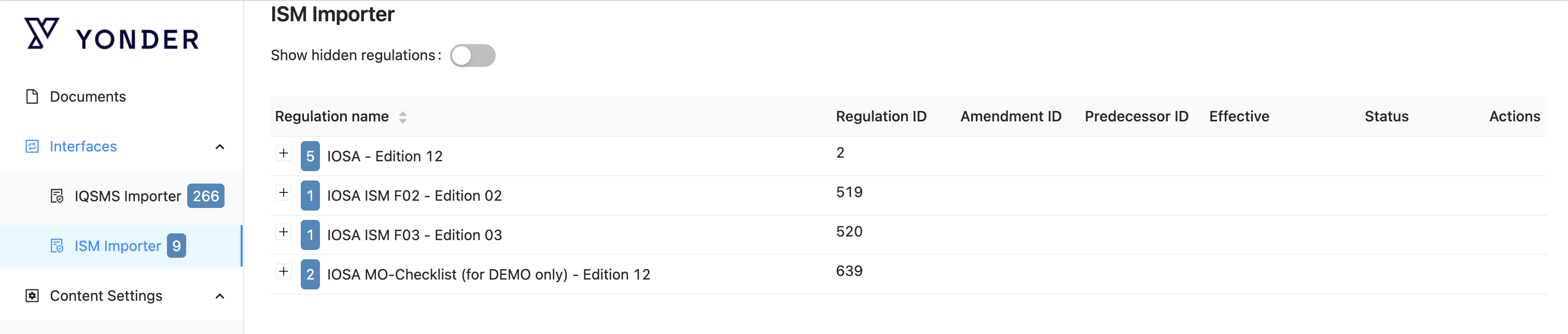
A toggle switch has been added to the ISM Importer view in the Admin panel. This allows administrators to display all regulations, including those previously hidden.
Location
Admin Panel → IQSMS/ISM Importer tab
Functionality
Toggle ON → All regulations are displayed, including hidden ones.
Toggle OFF → Only visible regulations are displayed (default behavior).
Technical Details
The toggle adds a query parameter to the API request for
/regulations/hierarchy.showHidden=true→ returns all regulationsshowHidden=falseor omitted → returns only visible regulations
The table/list of regulations updates dynamically when the toggle is changed.
The toggle state is persisted per admin session.
Notes
Hidden regulations are included in the view for reference or administrative purposes.
Default behavior remains unchanged when the toggle is off.
Was this article helpful?
That’s Great!
Thank you for your feedback
Sorry! We couldn't be helpful
Thank you for your feedback
Feedback sent
We appreciate your effort and will try to fix the article