TABLE OF CONTENTS
IQSMS Settings
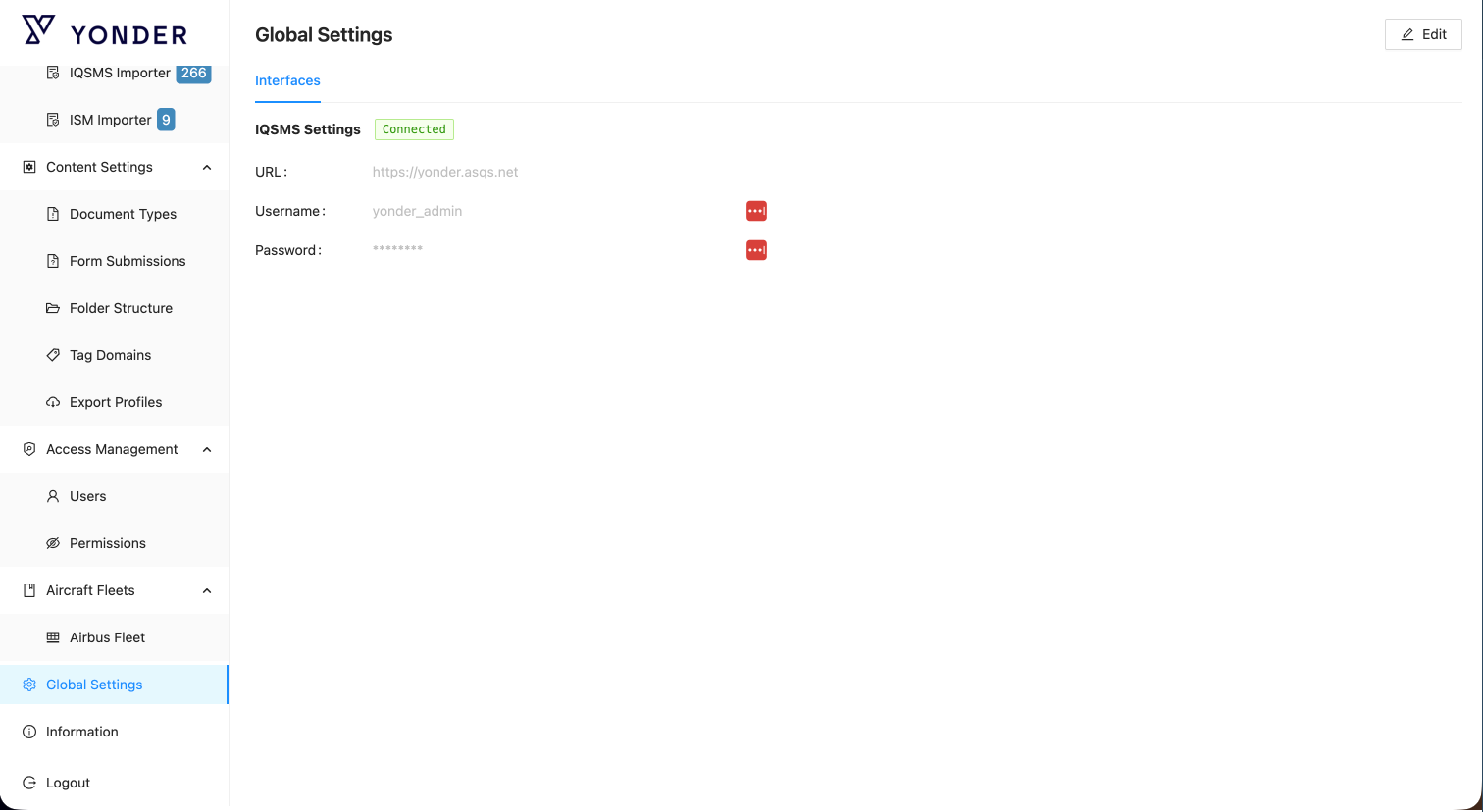
In the IQSMS Settings screen, a banner indicates the status of the interface connection:
Connected (Green) – The interface is successfully connected to IQSMS.
Connection Error (Red) – The connection could not be established. Check the entered credentials and API details.
IQSMS Connection Setup
Before IQSMS regulations can be imported, the connection to IQSMS must be configured.
To do so, the customer requires the following API credentials provided by their ASQS contact:
| Required Information | Description |
|---|---|
| URL | The complete HTTPS endpoint for the IQSMS API (e.g., https://youraccount.asqs.net). |
| Username | API user name provided by ASQS. |
| Password | Corresponding API password for authentication. |
Access to the IQSMS Settings screen and configuration of the integration in Yonder requires the role iqsms_admin.
Saving IQSMS Credentials
After entering the API credentials:
Click Save.
Wait for the connection indicator to update:
Green label (“Connected”) – Connection established successfully.
Notes:
It may take a few seconds for the indicator label to update.
The URL must be a complete HTTPS endpoint (e.g.,
https://youraccount.asqs.net).
Was this article helpful?
That’s Great!
Thank you for your feedback
Sorry! We couldn't be helpful
Thank you for your feedback
Feedback sent
We appreciate your effort and will try to fix the article