TABLE OF CONTENTS
Managing Aircraft Assignments
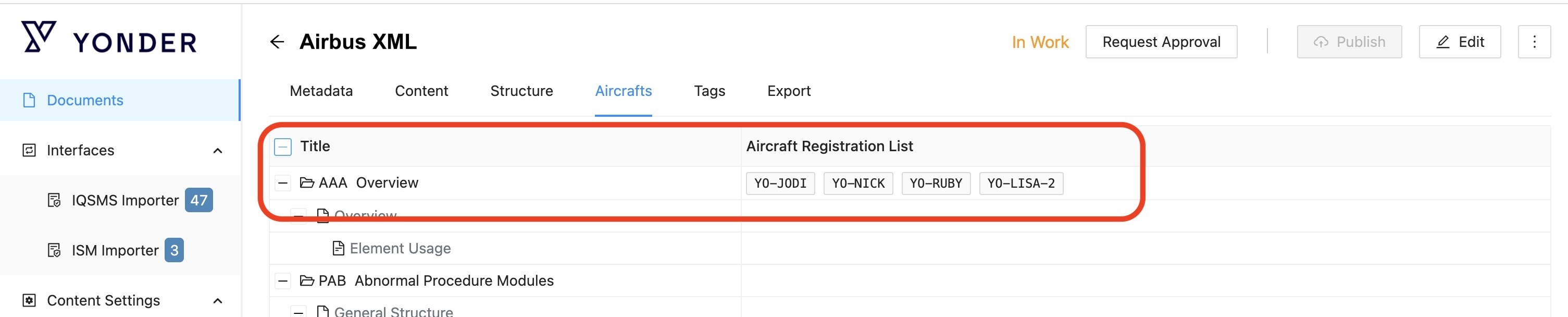
The Aircrafts tab is available in the Admin Console for OEM documents. It allows authors to review and manage aircraft assignments at the module level.
Key Features
View Existing Aircraft Assignments
The Aircrafts tab appears for documents with the following content schemas:
- Airbus Flight Ops XML
- ATR EDORA XML
- Boeing FTID XML
Manage Aircraft Assignments
Add an Aircraft
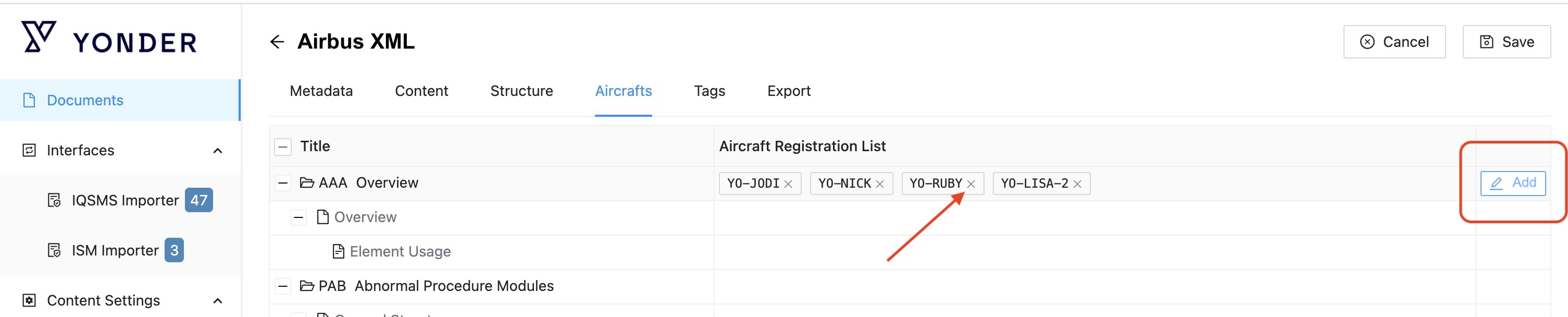
In the Edit-mode, hovering over a module shows an ADD button (if the module is editable and new versions can be created). This allows to:
- Remove an aircraft assignment by clicking the ‘x’ on the Aircraft laber
- Add an aircraft by openig the Edit function
New assignments can be applied directly to draft modules.
If the module is released, a new module version is automatically created.
- Delete an Aircraft
In Edit mode, aircraft tags display a delete ‘x’ symbol (when the module is editable and new versions can be created), allowing the removal of individual aircraft:
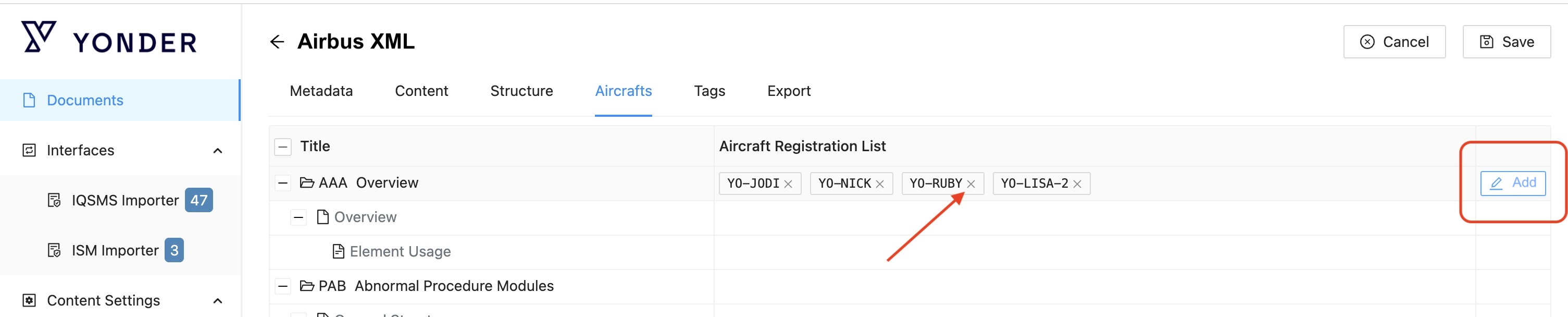
After removing the desired aircraft simply press ‘Save’.
If the module is released, a new module version is automatically created.
Was this article helpful?
That’s Great!
Thank you for your feedback
Sorry! We couldn't be helpful
Thank you for your feedback
Feedback sent
We appreciate your effort and will try to fix the article