TABLE OF CONTENTS
Regulations Library
The Regulations Library provides access to regulatory content bundles that can be subscribed to and managed directly in the Admin Console.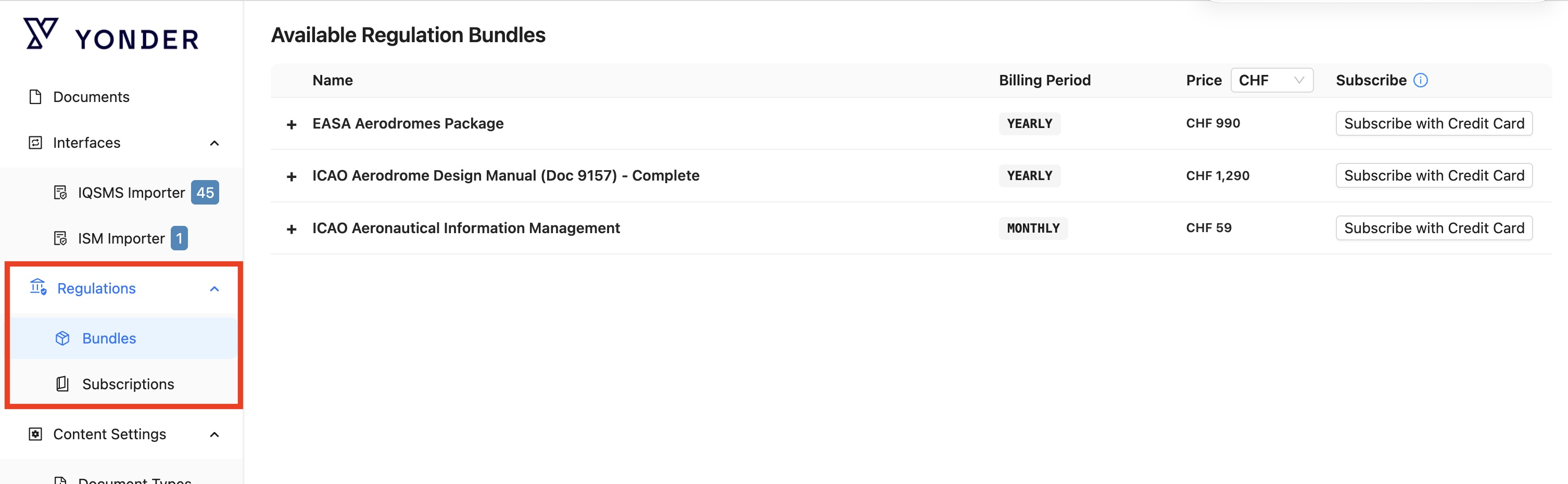
The Regulations Library is available under Regulations in the Admin Console. It consists of two main areas:
- Bundles lists the available regulation bundles that can be subscribed to.
- Subscriptions shows your currently active and purchased subscriptions and allows you to manage them.
Regulatory Content and Maintenance
The Regulations Library is maintained by Yonder. If you require additional regulations that are not currently available, you can request them through your Yonder account responsible.
Bundles
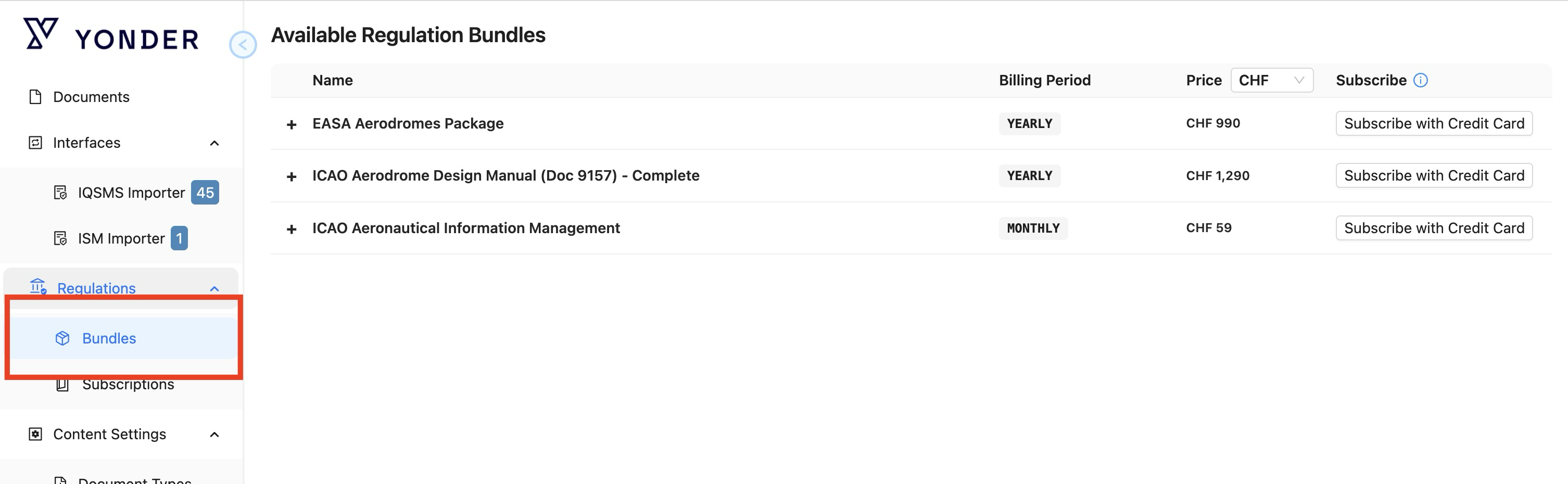
Subscribing to a Regulations Bundle
Regulation bundles can be purchased using one of two options:
- In Yonder: Purchase and activate the bundle directly in Yonder using a credit card.
- Purchase order: Request the bundle through a purchase order by contacting your Yonder account responsible.
The following sections describe each purchasing option and the supported currencies.
Subscribing to a Regulation Bundle in Yonder
- In the Admin Console, go to Regulations and open Entry Bundles.
- Select the regulation bundle you want to purchase.
- Click Subscribe with Credit Card.
- You will be redirected to the payment process, where you can enter your payment details and complete the purchase.
- After the payment has been successfully completed, the subscription is activated.
- The purchased bundle is then available under Subscriptions, where you can view and manage your active subscriptions.
Only regulation bundles available under the entry Bundles can be purchased directly. If you require a regulation that is not currently available, contact your Yonder account responsible to request its addition to the Regulations Library.
Subscribing to a Regulation Bundle via Purchase Order
Regulation bundles can also be purchased by purchase order. To request a purchase order or learn more about the available options, contact Yonder account responsible directly.
Supported Currencies
The Regulations Library currently supports the following currencies:
- CHF
- EUR
- USD
Subscriptions
The Subscriptions screen provides an overview of all regulation bundles that have been purchased or are currently being subscribed to. It allows you to review the subscription status and key information for each bundle.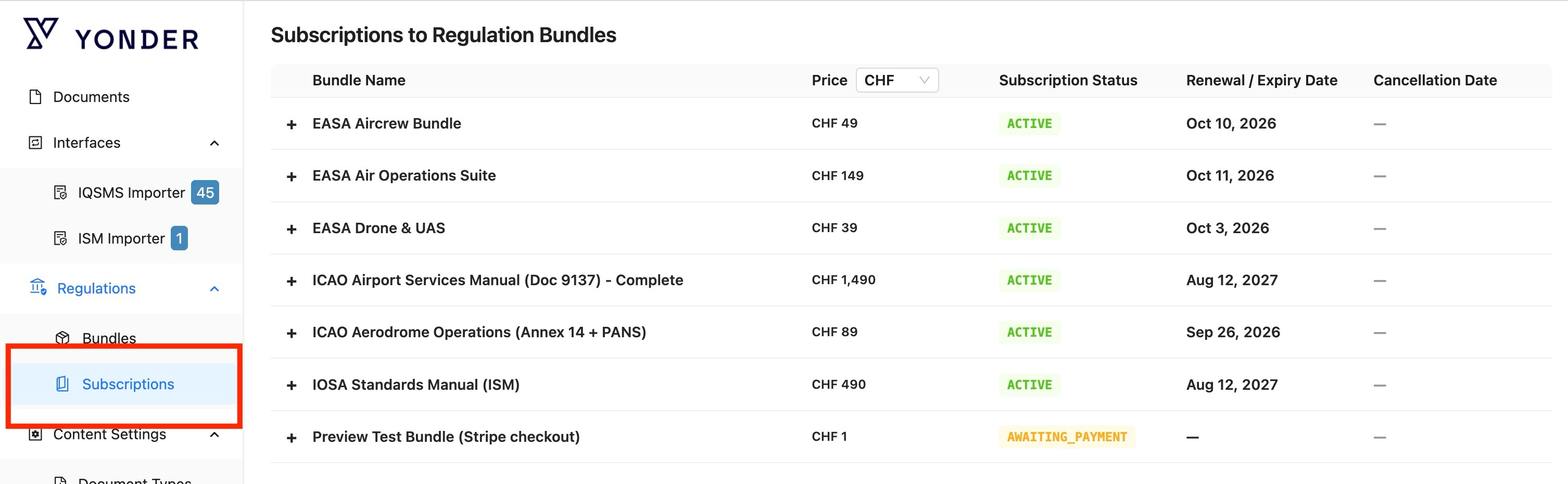
The overview displays the following information:
- Bundle Name: The name of the subscribed regulation bundle.
- Price: The price of the bundle and the currency used for the subscription.
- Subscription Status: The current status of the subscription, such as Active or Awaiting Payment.
- Renewal / Expiry Date: The date on which the subscription will be renewed or expire.
- Status: The status of your import (import status or cancellation date)
Select the + icon next to a bundle to expand the entry and view additional subscription details.
Active subscriptions provide access to the corresponding regulation bundle. Subscriptions that are awaiting payment are not yet active and require the payment process to be completed.
Importing a subscribed Regulation
Subscribed regulations can be imported into your Yonder library and made available as structured regulatory content.
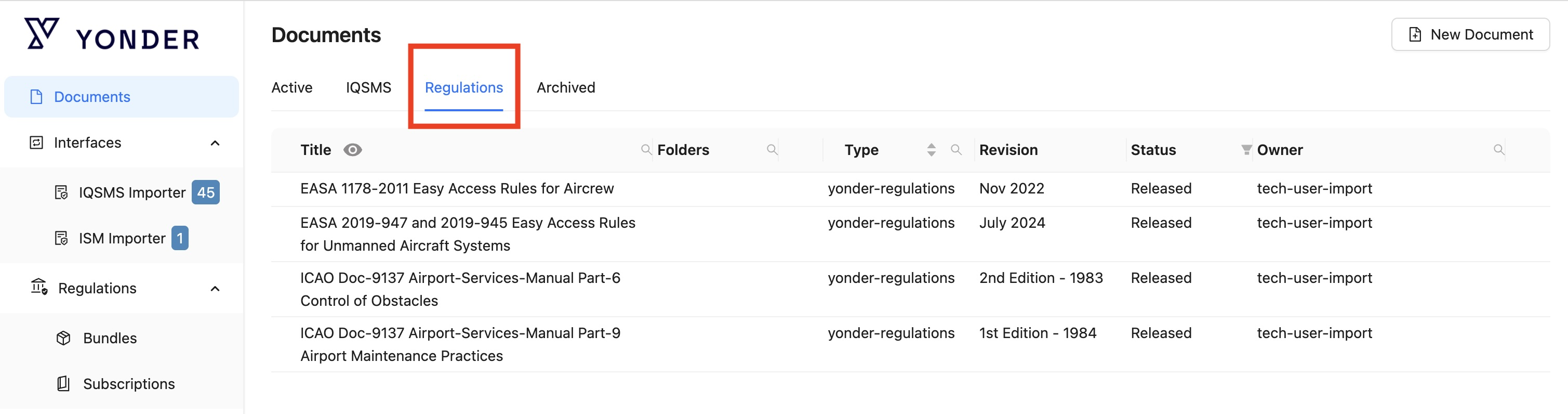
Once imported, the regulations are available in the Documents list under the Regulations tab. From there, they can be reviewed and linked directly to relevant operational content.
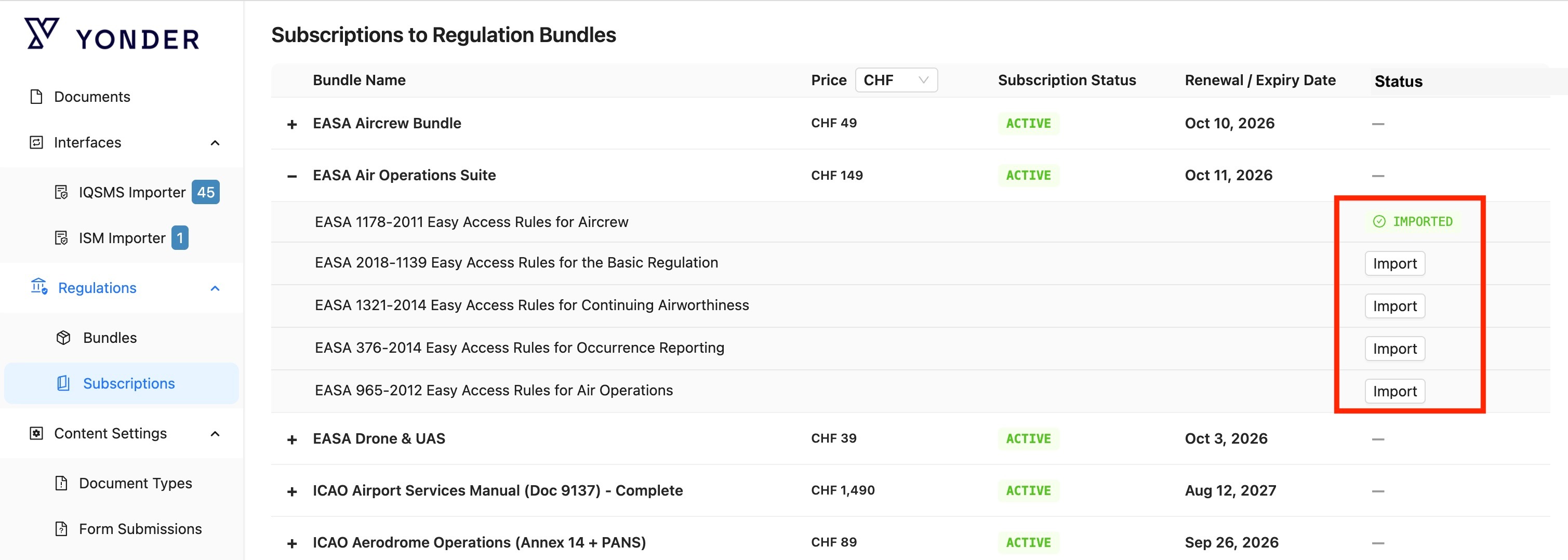
To import a subscribed regulation:
- Open the Subsriptions section in the Admin Console under Regulations.
- Select the subscribed regulation bundle you want to make available in your library and expand it by clicking the '+' icon to the left of the bundle.
- Click on Import to start the import process.
- Once the import is completed, the regulation is available in Documents under the Regulations tab.
Using Imported Regulations
Imported regulations can be linked to relevant operational documents, modules, or content. These links create a traceable connection between the regulatory requirement and the operational content that implements it.
Once a regulation is linked to operational content, changes to the regulation can trigger an automated change request for the responsible document owner. This allows the affected content to be reviewed and updated when required.
Managing Regulations
Imported regulations can be managed like any other Yonder smart document. This includes the standard document management functions, such as archiving and deletion.
Online Payments
Yonder supports online payments for selected subscriptions and paid services. Payment processing is handled by a specialized external payment service provider.
How the payment process works
- Select the required subscription or service in Yonder.
- Yonder starts the secure payment process.
- Enter the required payment information in the payment interface.
- The payment service provider processes the payment and, where required, performs additional authentication.
- Yonder receives the payment result.
- After a successful payment, the selected subscription is activated.
- Yonder displays the current subscription status and relevant dates, such as the renewal, expiry or cancellation date.
The payment methods available may depend on the customer's location and the configuration of the payment service.
Payment Data
Payment credentials are handled by the external payment service provider and are not stored directly in Yonder.
Yonder only stores the information required to manage the subscription and provide the associated service. Full payment card details and security codes are not stored in Yonder.
Data Security
Payment data is processed using the security measures provided by the specialized payment service provider. These measures include industry-standard encryption, access controls, monitoring and security procedures.
Payment card information is handled within the provider's secure payment environment and is subject to applicable payment-card security requirements.
Yonder receives payment status and reference information required for subscription management rather than the customer's complete payment credentials.
Data Protection and GDPR
Personal data processed as part of an online payment is handled in accordance with applicable data-protection requirements.
The external payment service provider maintains its own data-protection documentation and contractual safeguards for the processing of personal data. Depending on the type and purpose of processing, the provider may act as a processor or as an independent controller.
For international transfers of personal data, appropriate safeguards are applied where required by applicable data-protection legislation.
Yonder remains responsible for its own processing activities, including providing appropriate privacy information, defining the applicable legal basis and limiting the personal data processed to what is necessary for the relevant purpose.
Information Stored by Yonder
To manage a subscription, Yonder only stores information such as:
- Customer or organization
- Selected subscription
- Subscription status
- Start date
- Renewal or expiry date
- Cancellation date
- Paid until date
- Payment or subscription reference only
- Payment amout
- Payment currency
These references allow Yonder to associate a payment with the corresponding subscription without storing the customer's complete payment credentials.
Privacy and Security
Only the information required to process payments and manage subscriptions is exchanged between Yonder and the external payment service.
Sensitive payment credentials remain within the secure payment environment and are not made available to Yonder users or administrators.
Was this article helpful?
That’s Great!
Thank you for your feedback
Sorry! We couldn't be helpful
Thank you for your feedback
Feedback sent
We appreciate your effort and will try to fix the article