TABLE OF CONTENTS
General
The Regulations settings control access to the Yonder Regulations Library and how regulatory updates are made available in Yonder.
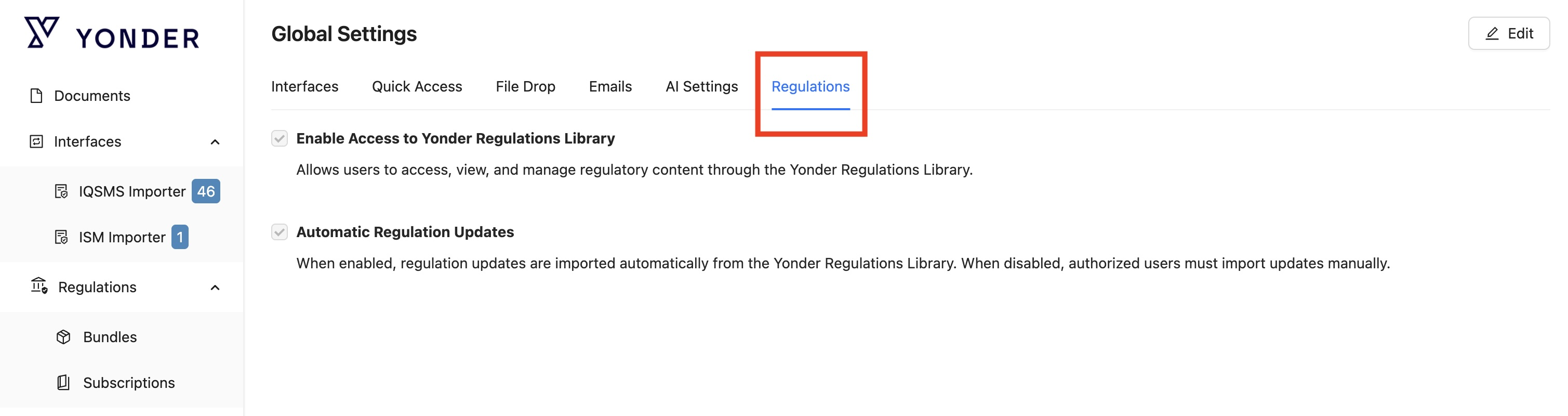
Enable Access to Yonder Regulations Library
Enables the Yonder Regulations Library for the organisation.
When enabled, users with the required permissions can:
- Access the Yonder Regulations Library.
- View available regulatory content and subscriptions.
- Manage the regulatory content available to the organisation.
- Access and use subscribed regulations in Yonder.
When disabled, users cannot access the Yonder Regulations Library or use its regulatory content within Yonder.
Automatic Regulation Updates
Controls whether updates to subscribed regulatory content are imported automatically.
When enabled
- Available updates are imported automatically from the Yonder Regulations Library.
- Subscribed regulatory content is kept up to date automatically.
- No manual action is required from an authorised user.
When disabled
- Regulation updates are not imported automatically.
- Authorised users must manually check for available updates.
- Available updates must be imported manually.
This setting only affects the update process. It does not enable or disable access to the Yonder Regulations Library itself.
Was this article helpful?
That’s Great!
Thank you for your feedback
Sorry! We couldn't be helpful
Thank you for your feedback
Feedback sent
We appreciate your effort and will try to fix the article