TABLE OF CONTENTS
General
The global history log records significant modifications made to a document, offering a comprehensive overview of the substantial alterations implemented over time.
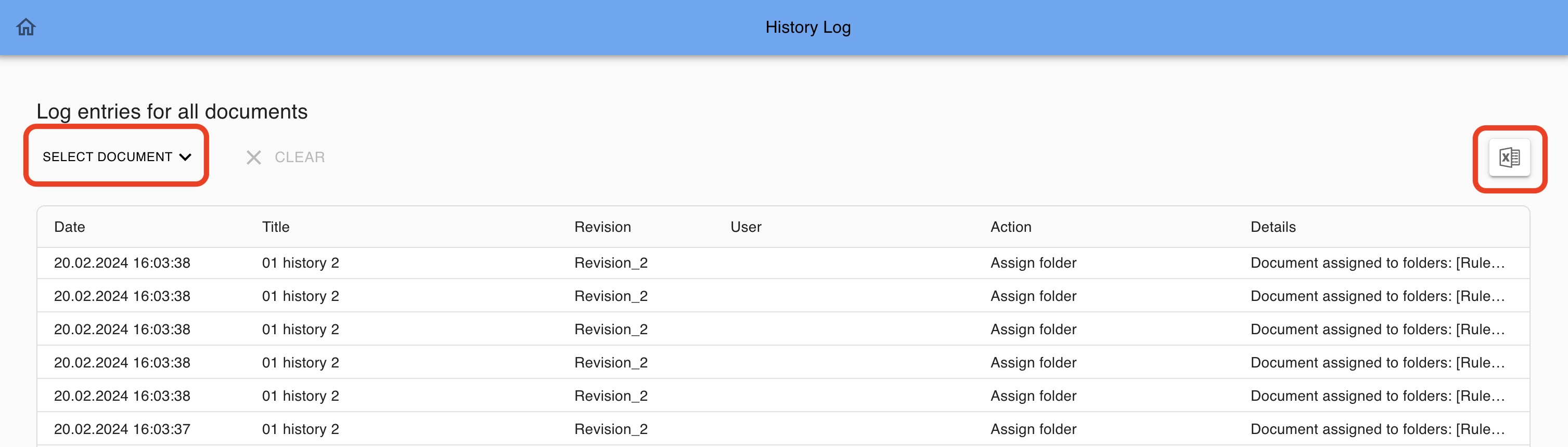
Additionally, the documents list can be conveniently filtered by selecting a single document. The log can be exported in Excel for further analysis in your business intelligence system.
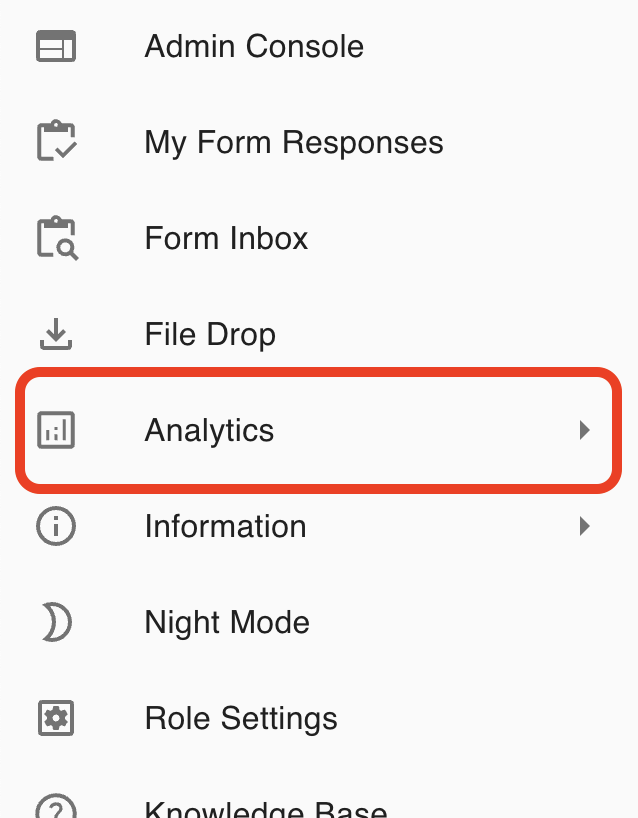
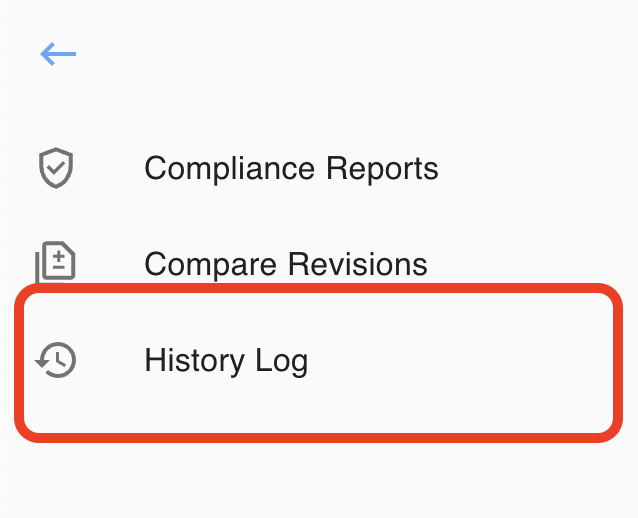
The global document history log is accessible through the designated section located at the following path:
1. SelectvAnalytics
2. Select History Log
Log Content
The history log provides options to select a single document and to export the data in a single Excel file:
Excel Export
- Selecting no document, the last 3 months of data will be provided.
- Selecting a single document, the full document history will be provided.
Logged actions
| New document |
| New document revision |
| Import document revision |
| Release document revision |
| Change effectivitiy date |
| New file |
| New file revision |
| Delete file |
| Edit file object |
| Edit file revision |
| Assign folder |
| Archive document |
| Revert document revision |
| Save document revision |
| Publish document revision |
| Terminate document |
- Activities are recorded in Coordinated Universal Time (UTC) format.
Was this article helpful?
That’s Great!
Thank you for your feedback
Sorry! We couldn't be helpful
Thank you for your feedback
Feedback sent
We appreciate your effort and will try to fix the article