TABLE OF CONTENTS
General
Users can quickly find and open their most recent documents by referring to the Recent list.
This is especially useful for users who frequently switch between multiple documents and need quick retrieval.
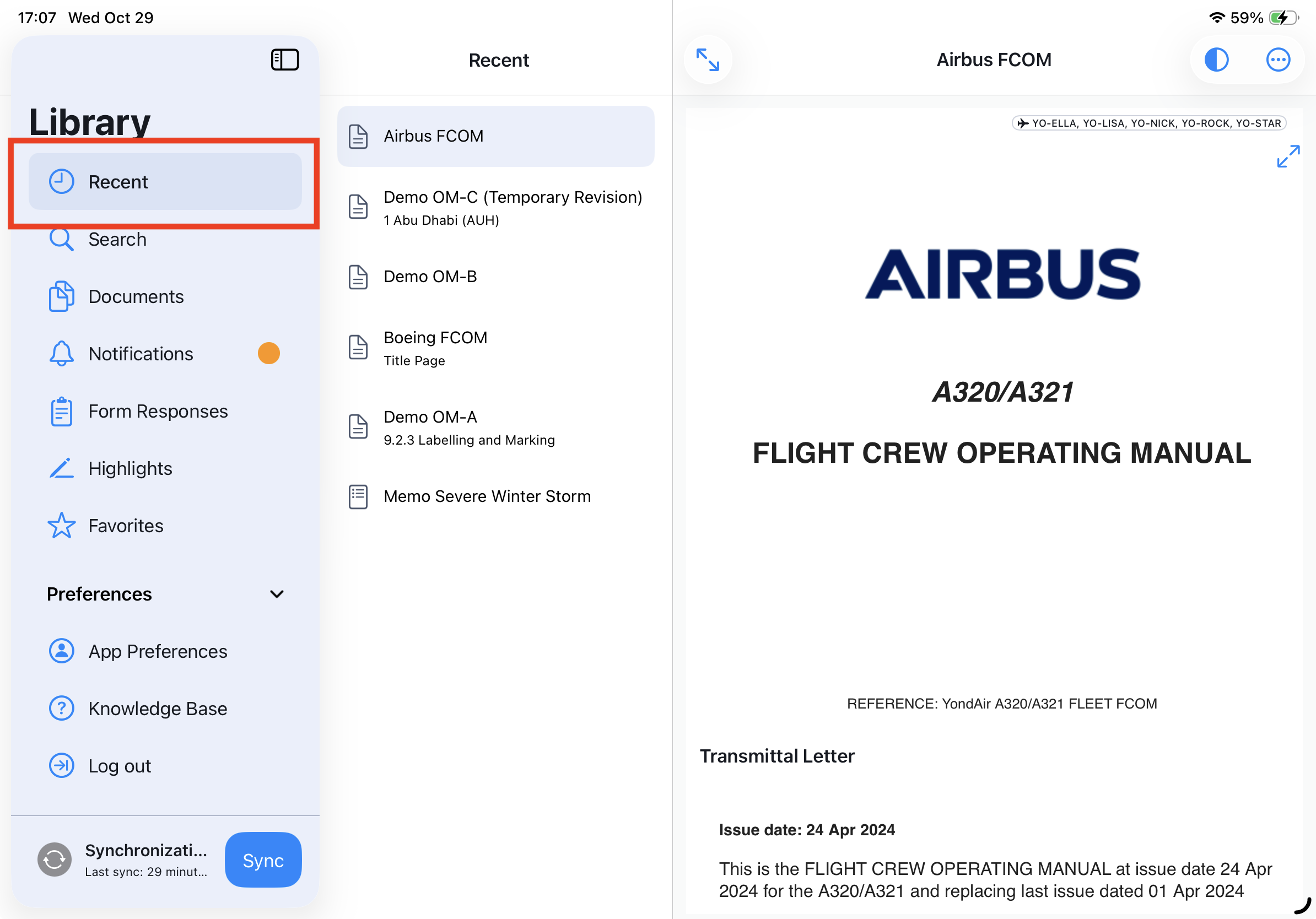
Recent List
In Yonder, the Recent list in the Secondary Sidebar helps you quickly return to documents you’ve recently accessed. It keeps track of your latest activity across all document types on your device.
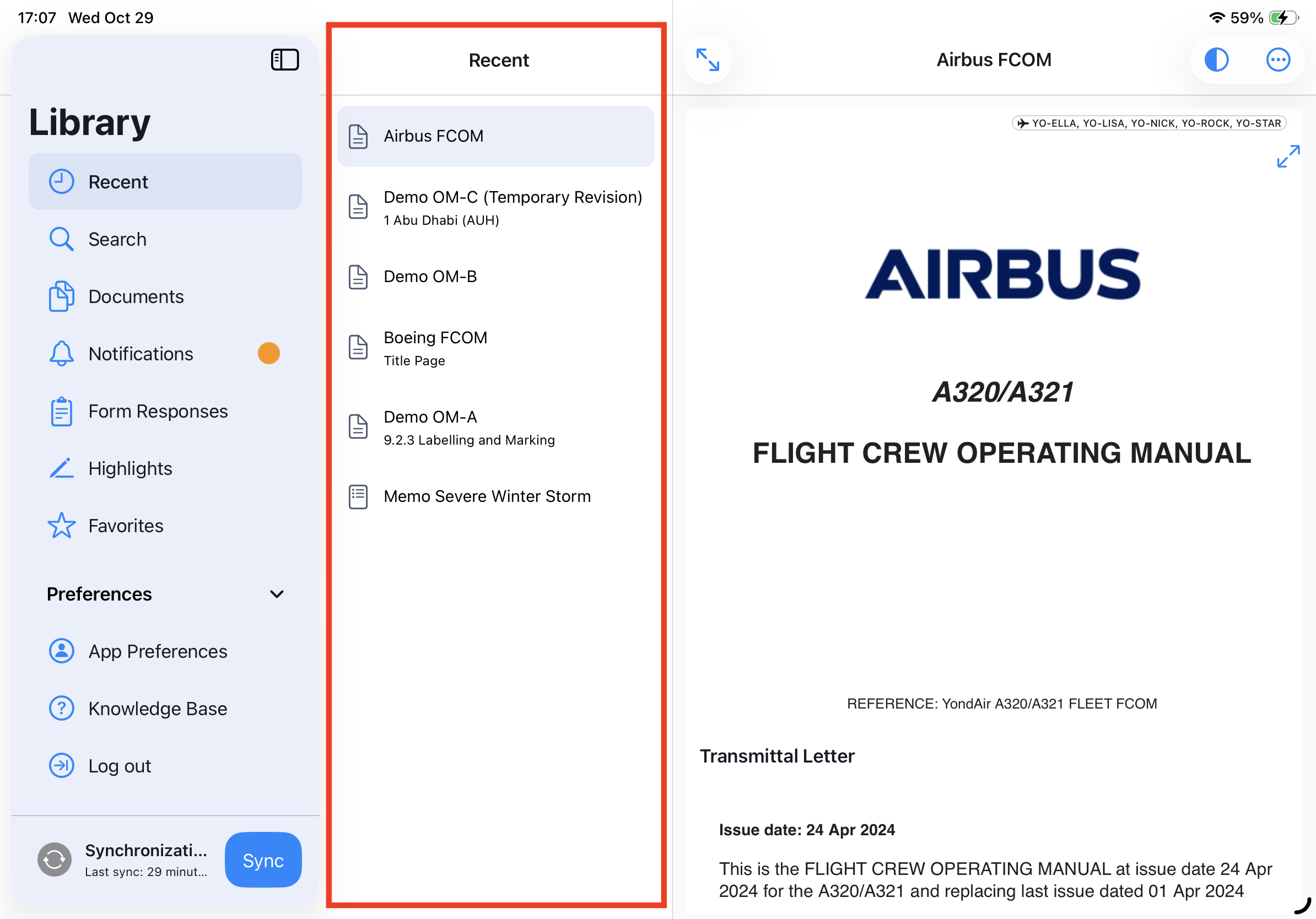
Tracked Entries
The Recent list records the 10 most recently accessed documents on the current device.
All document types are included:
Smart Documents
Forms
Files
Memos
Display Format
Each entry in the list shows:
Line 1: Document name
Line 2: Last opened chapter title (if available)
This provides quick context about where you left off in each document.
Order
The list is sorted chronologically, with the most recently opened document appearing at the top.
How Documents Are Added to Recent
To appear in the Recent list, a document must be opened from the Document List.
Opening a document from other areas, such as Favorites, will not create a Recent list entry (since the document is already designated as a favorite).
Automatic Update and Overwrite
Every time a document is opened, it is moved to the top of the Recent list.
Once the 10-document limit is reached, the oldest entry is automatically overwritten by the newest one.
Device-Specific Behavior
Entries in the Recent list are specific to each device and do not sync across multiple devices.
This ensures your list remains personalized and relevant to your activity on that particular device.
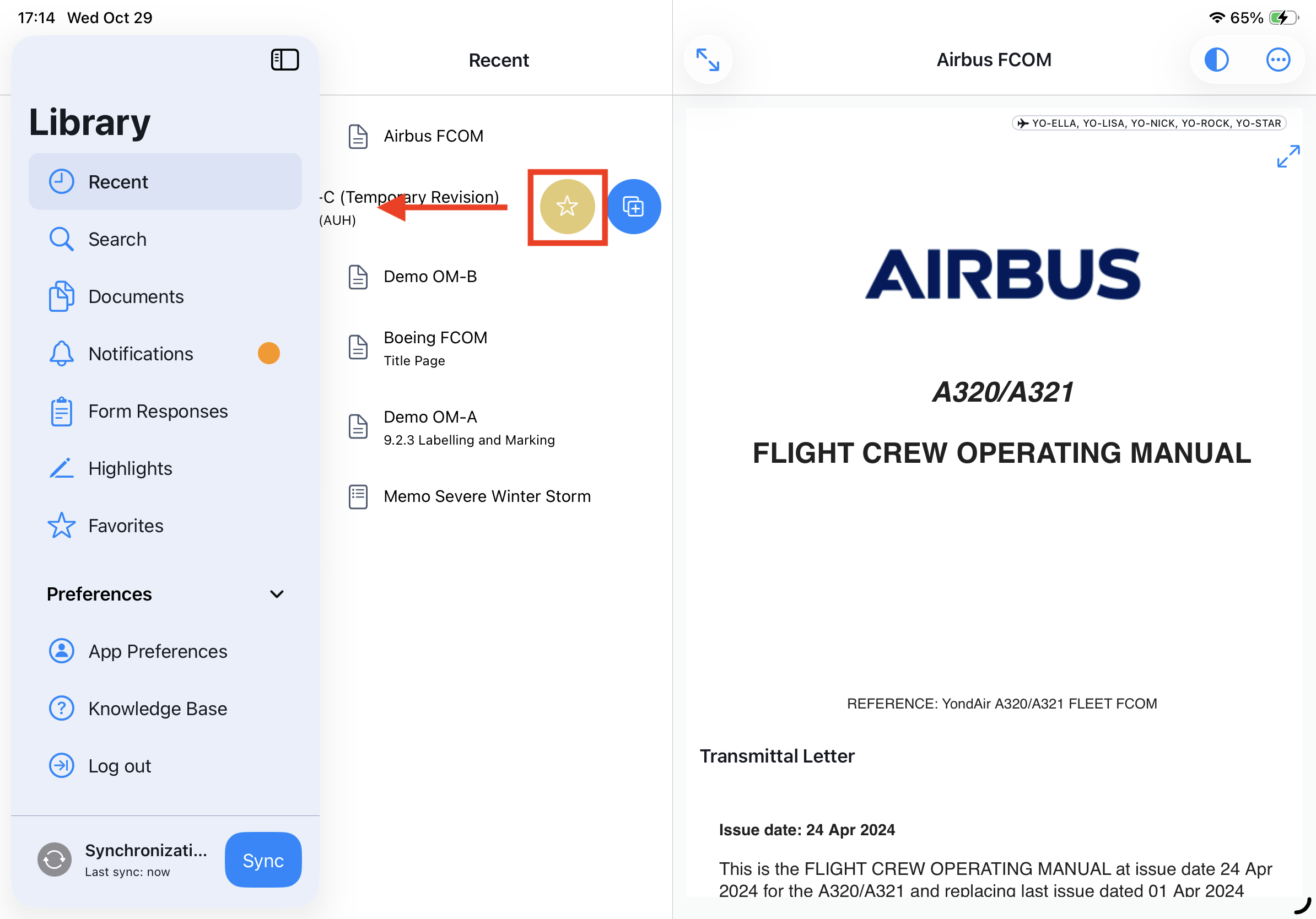
Mark / deselect a Recent entry as Favorite
To mark an entry in the Recent list as a Favorite, swipe left on the entry and click the star icon:
Was this article helpful?
That’s Great!
Thank you for your feedback
Sorry! We couldn't be helpful
Thank you for your feedback
Feedback sent
We appreciate your effort and will try to fix the article