TABLE OF CONTENTS
Overview
The AI Settings section allows administrators to enable or disable Apple Intelligence features within Yonder. When activated, this setting enables the AI Summary feature on supported Apple devices, allowing users to generate on-device summaries of currently loaded content.
How it works
By enabling “Allow Apple AI on mobile devices”, you permit compatible Apple devices (iPhone, iPad) to use Apple Intelligence for AI-powered features such as summaries. These features are processed primarily on-device, ensuring fast performance and enhanced data privacy. For more complex tasks, Apple may optionally leverage secure cloud processing.
Requirements
AI Summary is only available on devices that meet Apple’s minimum hardware and software requirements for Apple Intelligence. Older or unsupported devices will not have access to this feature, even if it is enabled in Yonder.
For a list of supported devices and operating system requirements please refer to the official Apple website: (here)
Key characteristics
- On-device processing: Content is processed locally on the Apple device
- Privacy-first: No data is sent externally for standard summarization tasks
- Content-bound: Only the currently loaded content can be summarized
- Session-based: Summaries are not stored or persisted after the app is closed
Limitations & compliance
- AI-generated summaries may be incomplete or inaccurate
- The feature is intended for informational purposes only and not for operational use
- Apple Intelligence does not understand company-specific rules unless explicitly present in the content
- Device-level security approvals (e.g., for sensitive data classifications) apply to the device, not the AI-generated output
- iOS app version 3.0.0 or higher is required
AI Features availability
Default state:
- AI features are disabled by default.
When AI features are disabled, the “AI Summary” menu entry is not visible to end users. - Once AI features are enabled and the device has successfully synchronized, the “AI Summary” menu entry becomes available.
Device compatibility:
- On devices that do not support Apple Intelligence, users will only receive a notification about the limitation when attempting to access an AI feature.
How to enable
AI Summary is a Global Setting that needs to be enabled on a 'company level' By enabling, all Apple Intelligent able devices will have the possibility to use this feature.
- Navigate to Global Settings
- Open the AI Settings tab
- Select Edit
- Enable “Allow Apple AI on mobile devices”
- Click Save
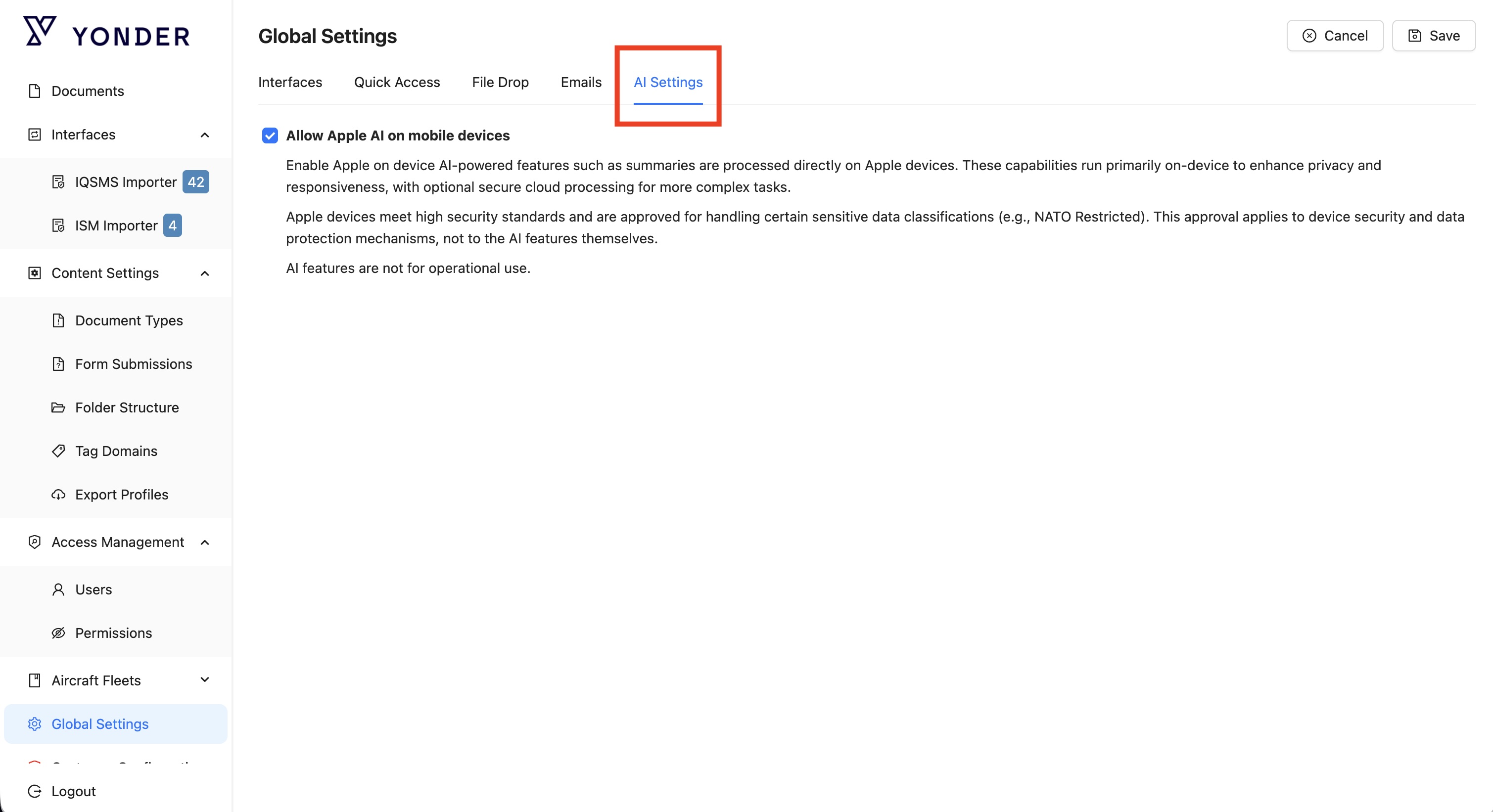
Once enabled, users on supported Apple devices will be able to access the AI Summary feature within the application.
Legal Disclaimer
This feature includes AI-generated summaries produced by Apple Intelligence and processed on-device. The summaries are provided for informational purposes only and may be incomplete, inaccurate, or misleading. They are not intended for operational, safety-critical, or decision-making use and must not be relied upon as a primary or authoritative source of information.
Yonder makes no representation or warranty regarding the accuracy, reliability, or completeness of the original content or any AI-generated summaries. To the fullest extent permitted by law, Yonder disclaims all liability arising from the use of or reliance on such content or summaries.
Was this article helpful?
That’s Great!
Thank you for your feedback
Sorry! We couldn't be helpful
Thank you for your feedback
Feedback sent
We appreciate your effort and will try to fix the article