TABLE OF CONTENTS
Apple On-Device AI (Apple Intelligence)
Apple’s on-device AI, known as Apple Intelligence or Edge AI, enables intelligent features directly on Apple devices such as iPhone or iPad.
Apple runs thier AI models directly on your device’s hardware, closer to where the data is generated. This keeps things fast, private, and efficient.
This strategy uses Apple’s custom chips — Neural Engines and dedicated AI hardware built into A‑series and M‑series chips — to run AI tasks locally
Why it matters
- Privacy
Personal data is processed locally and doesn’t need to be sent to external servers. The data doesn't leave the phone. - Works Offline
AI capabilities can still run without an internet connection. - Speed & Responsiveness
Tasks happen immediately (without waiting for a server).
Apple devices meet high security standards and are approved for handling certain sensitive data classifications (e.g., NATO restricted). This approval applies to device security and data protection mechanisms.
Limitations
Apple’s on-device AI, Apple Intelligence, enables fast and privacy-focused features directly on supported Apple devices. However, the following limitations apply:
- Device requirements: Available only on newer devices (e.g. recent iPhone, iPad, and Mac models with sufficient performance)
- Limited capability: Optimized for focused tasks like summarization; less powerful than cloud-based AI for complex reasoning
- Content-bound: Processes only the currently loaded content; no access to external systems, databases, or other documents
- No implicit context: Does not understand company-specific rules, terminology, or compliance requirements unless included in the content
- Token limit: Each request is limited to approximately 4,000 tokens, which may restrict the amount of content that can be processed or summarized at once
- Hybrid processing: Some features may require internet connectivity for more complex tasks
- Accuracy limitations: AI-generated results may be incomplete or inaccurate
- Supported Documents: currently the feature is supporting only smart documents, PDF's and memos.
Important:
AI summaries are provided for convenience only and are not intended for operational, compliance, or safety-critical use.
Company Setting: Enable AI Summary
Your organization can decide whether to allow the use of Apple’s on-device AI features.
When the “AI Summary (Apple On-Device AI)” setting is enabled:
- Users can generate AI-based summaries of loaded content
- The feature leverages on-device processing provided by Apple
- No additional configuration is required on supported Apple devices
If the setting is disabled:
- The AI summary option will not be available to end users
User Experience: Generating an AI Summary
When enabled by the company:
- Users will see an option to generate an AI summary for supported content
- Upon activation, the summary is created using Apple’s on-device AI
- The summary is displayed in a dedicated view or popover
Important Notice to Users
When accessing the AI-generated summary, users are explicitly informed:
- The content is AI-generated
- It may be incomplete or inaccurate
- It is not intended for operational, compliance, or safety-critical use
This ensures transparency and helps users correctly interpret the generated output.
AI Summary Generation
The AI Summary lets you quickly generate a concise overview of Smart Documents currently loaded on your screen using on-device Apple Intelligence.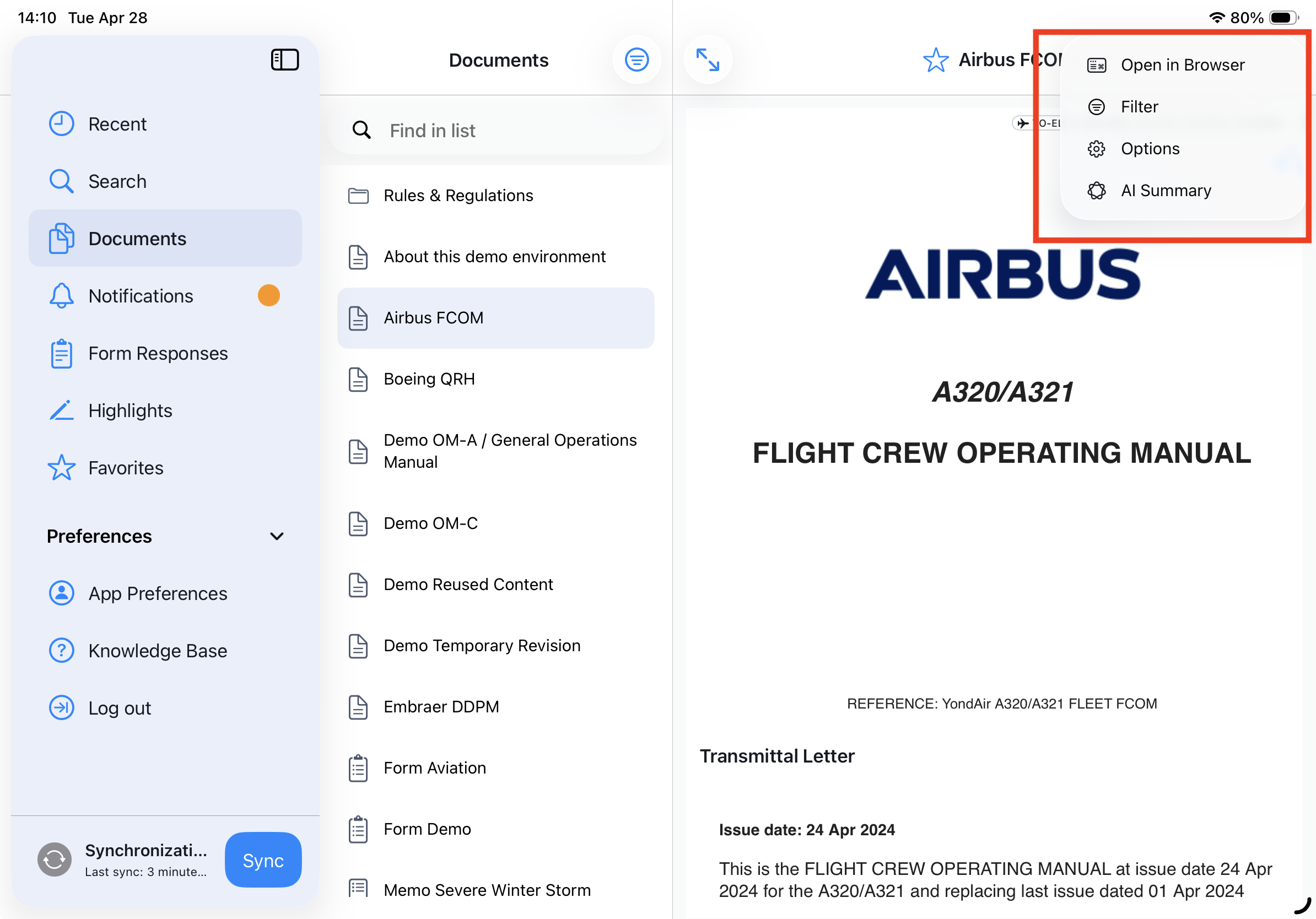
Steps
- Open the “…” (More) menu
- Select AI Summary
- A popover will slide in and the summary generation will start automatically
- A spinner indicates that the summary is being generated
- Once complete, a green checkmark is shorty displayed and confirms the summary is ready
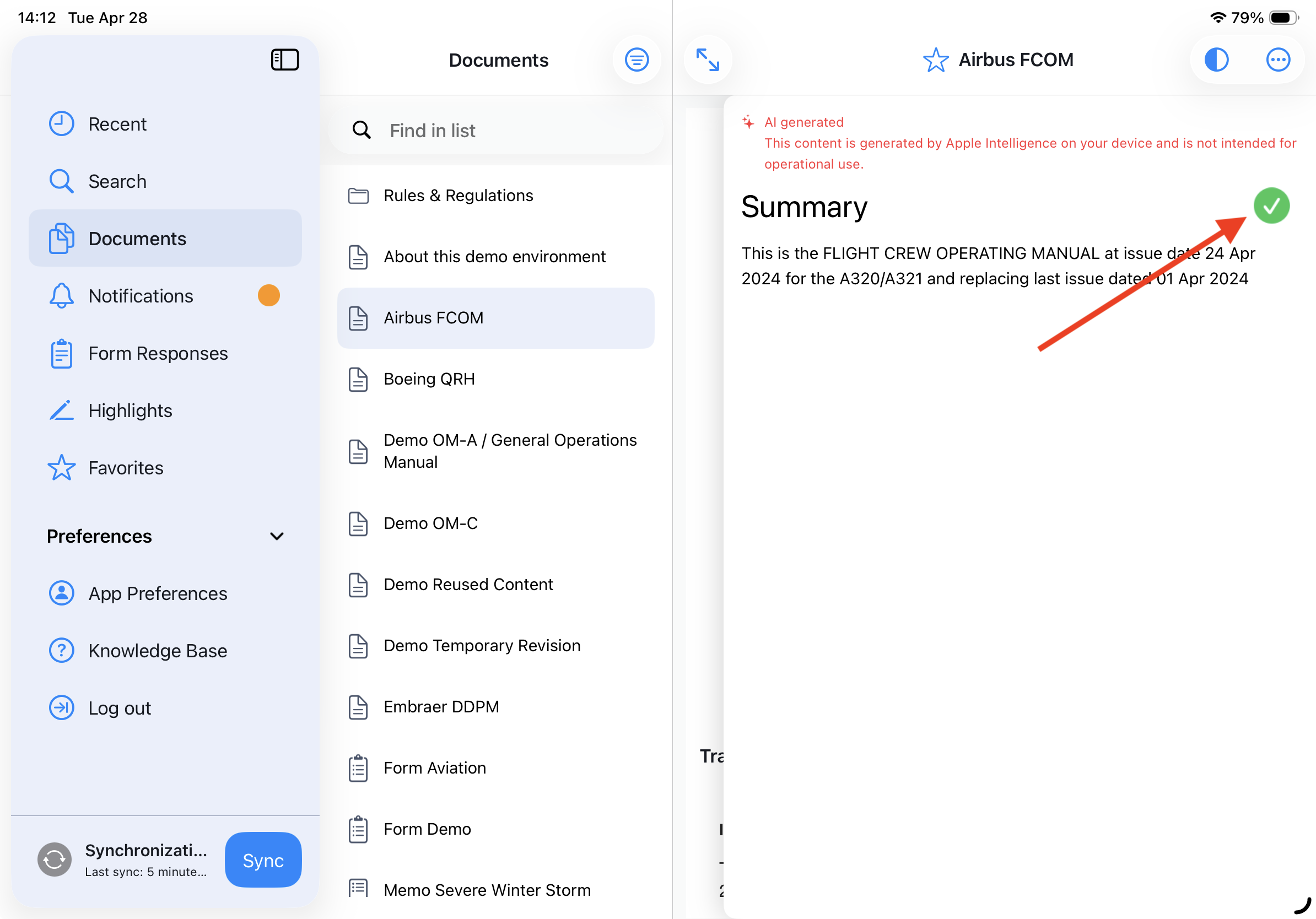
Note: The AI Summary popover remains visible until you swipe it away. It is maintained per tab during your session, but it is not saved or stored once the app is closed or terminated.
Redo the Summary
AI-generated summaries are created using Apple's generative models. As a result, the output may vary between attempts and can be refined by regenerating the summary.
Regenerate a Summary
Once a summary has been successfully generated, users have the option to regenerate it to obtain a different or more comprehensive result. Regeneration creates a new version of the summary based on the same source content.
After a summary is displayed, click the redo (circular arrow) icon to generate a new version. The existing summary will be replaced with the newly generated one.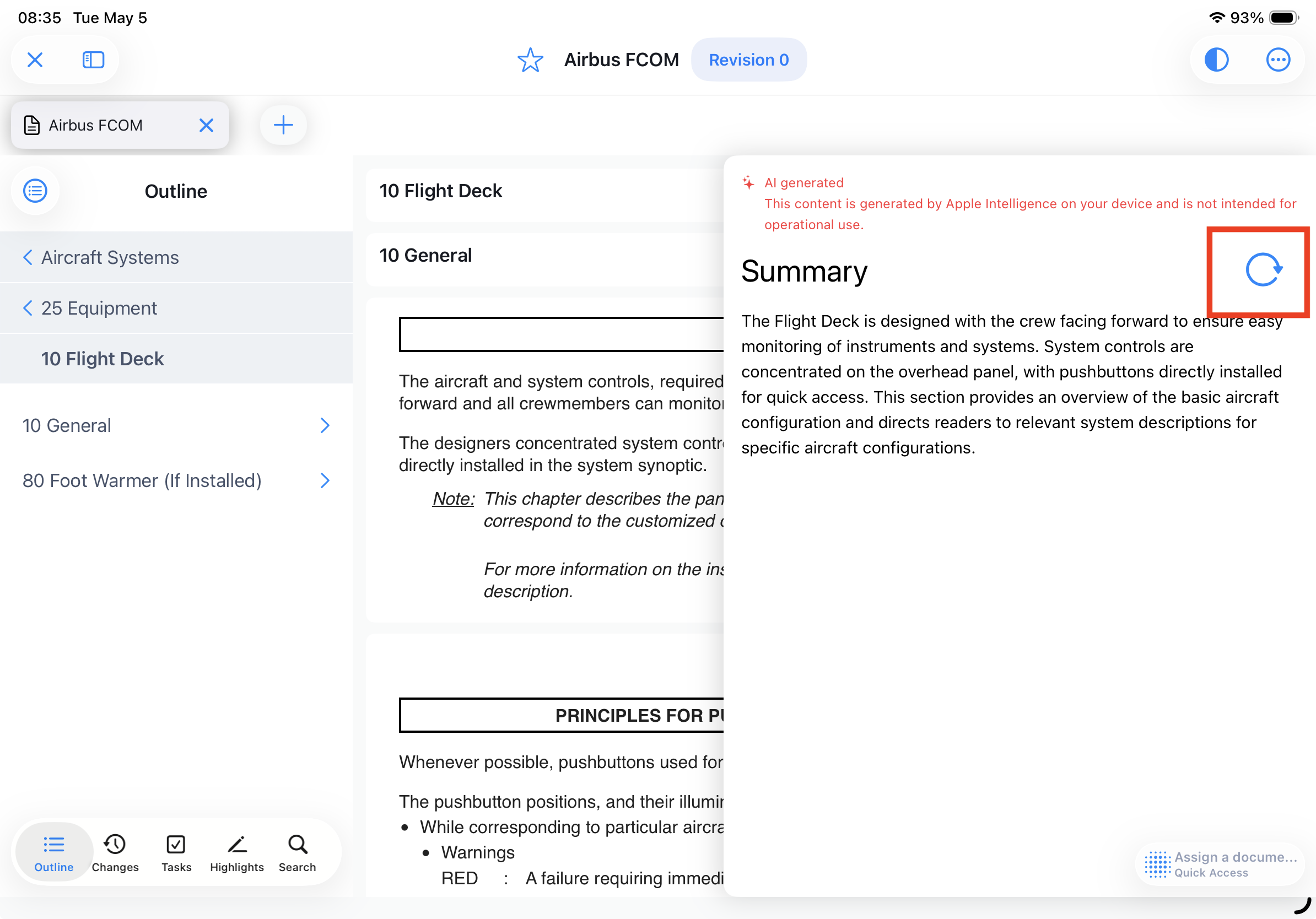
Legal Disclaimer
This feature includes AI-generated summaries produced by Apple Intelligence and processed on-device. The summaries are provided for informational purposes only and may be incomplete, inaccurate, or misleading. They are not intended for operational, safety-critical, or decision-making use and must not be relied upon as a primary or authoritative source of information.
Yonder makes no representation or warranty regarding the accuracy, reliability, or completeness of the original content or any AI-generated summaries. To the fullest extent permitted by law, Yonder disclaims all liability arising from the use of or reliance on such content or summaries.
Was this article helpful?
That’s Great!
Thank you for your feedback
Sorry! We couldn't be helpful
Thank you for your feedback
Feedback sent
We appreciate your effort and will try to fix the article