TABLE OF CONTENTS
General
Document types define the structure and behavior of various content formats within the system. They include:
- Documents (XML):
Structured documents using XML for standardized formatting and data interchange. - Forms:
Interactive forms used for data entry and submission. - Media Objects:
Multimedia content such as images, videos, and audio files.
When creating a document, you will be prompted to select its document type. All the specified characteristics will then be applied to the document.
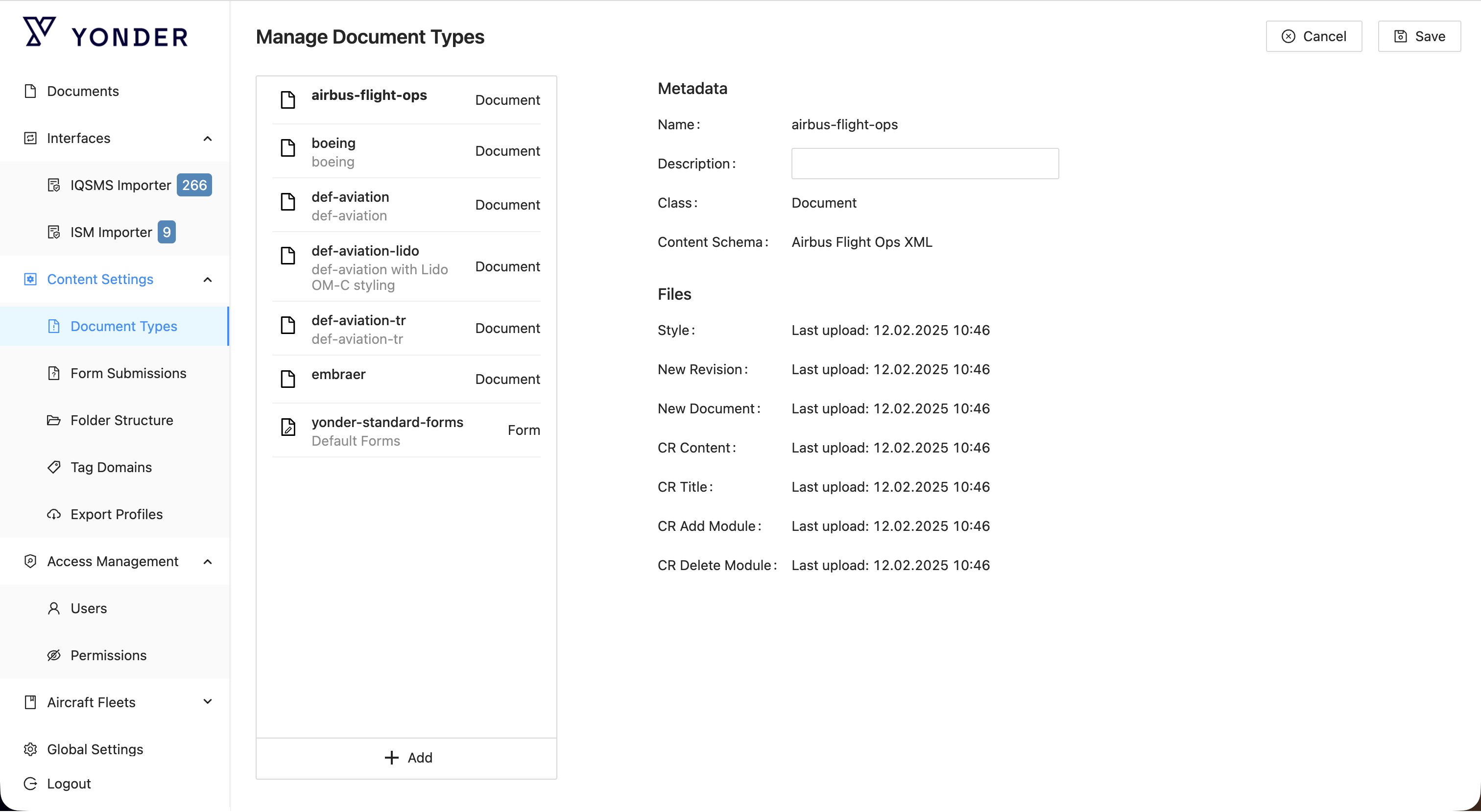
Document Type Components
When creating a new document, you will select a document type, which determines its formatting, style, and applicable workflows. This ensures consistency and appropriate handling of different content types within the system. For each document type you can define:
Style
The style (CSS) defined for a document type is used to determine the visual presentation and formatting of the document's content. This includes:
- Layout: How elements are arranged on the page.
- Typography: Font styles, sizes, and colors for headings, paragraphs, and other text elements.
- Colors: Background and text colors to enhance readability and aesthetic appeal.
- Spacing: Margins, padding, and line spacing to ensure proper spacing between elements.
- Borders and Shading: Styles for borders and background shading for various sections or elements.
By applying a consistent CSS style, documents of the same type maintain a uniform look and feel, enhancing usability and visual coherence.
Workflows
BPMN (Business Process Model and Notation) workflows are used in Yonder for the creation of a new document, its revision, and associated change requests and describes the following:
- Creation of a New Document
- Initial drafting and submission
- Review and approval processes
- Publishing the final version
- Document Revision:
- Initiation of a revision request
- Updating the document content
- Review and approval of the revised document
- Publishing the revised version
- Change Requests:
- Submission of change requests by stakeholders
- Evaluation and prioritization of change requests
- Implementation of approved changes
- Review and testing of changes
- Final approval and incorporation of changes into the document
The workflow visually maps out these steps, showing the flow of activities, decision points, and interactions between different participants (e.g., authors, reviewers, approvers) and systems involved in managing the document lifecycle.
Was this article helpful?
That’s Great!
Thank you for your feedback
Sorry! We couldn't be helpful
Thank you for your feedback
Feedback sent
We appreciate your effort and will try to fix the article