TABLE OF CONTENTS
Dynamic Content in Yonder
Dynamic content is automatically generated from the data stored in the system, providing up-to-date information that updates automatically without requiring manual intervention. This feature helps ensure accuracy and consistency across your document as it is deterministically generated.
Yonder currently supports dynamic content for the following use cases for Airbus:
List of Effective Modules
List of Changes
Revision Bulletin
For detailed instructions on how to create and configure dynamic content for each case, please refer to the chapters below.
1. List of Effective Modules
How to Add:
Create a new solution of type Description.
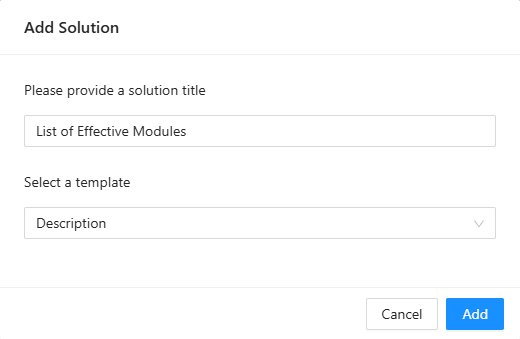
Edit the module.
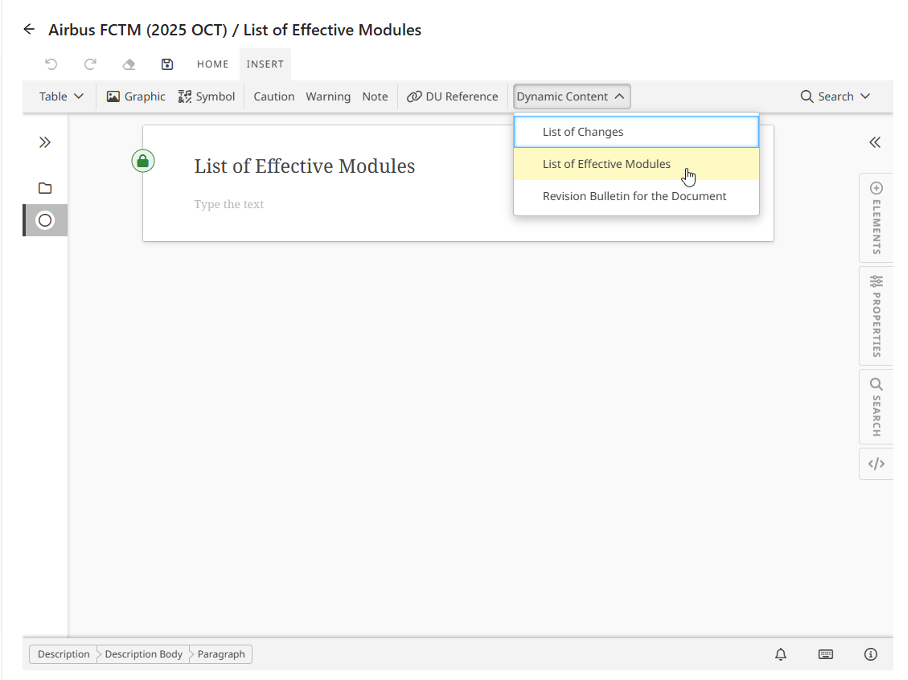
Add the List of Effective Modules via the INSERT toolbar.
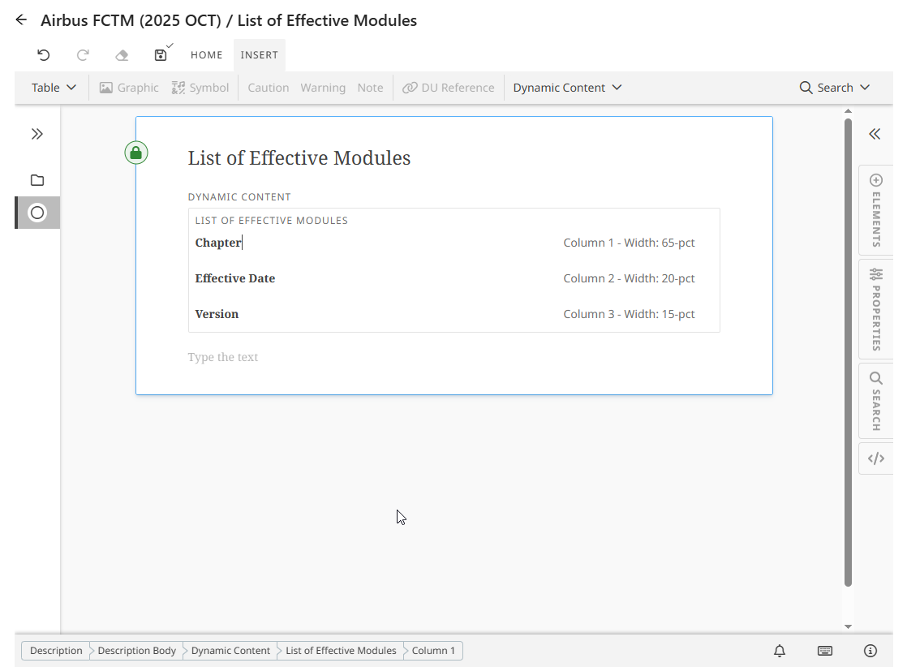
Adjust labels (e.g., Chapter) as needed.
Save and publish the changes.
Result:
A table is created listing all modules with their module title, effective date, and version label.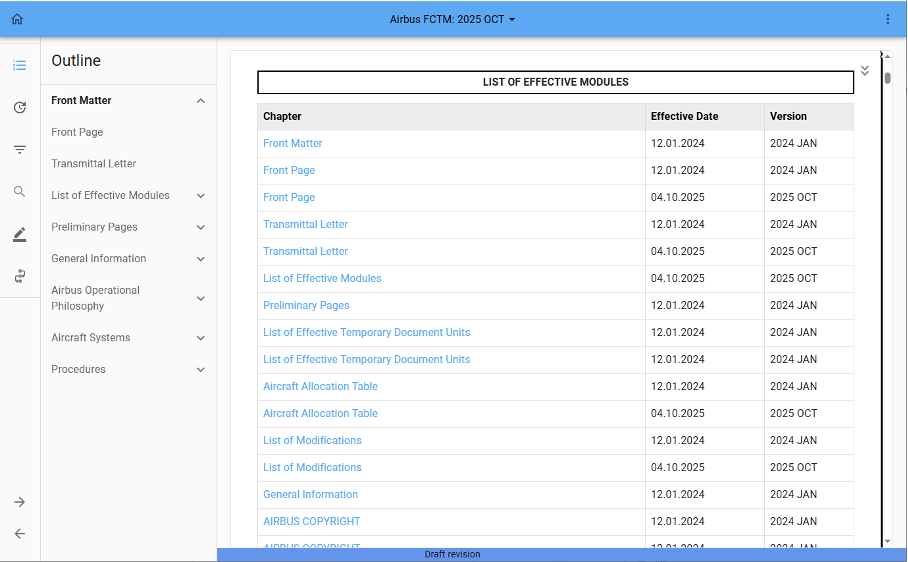
2. List of Changes
How to Add:
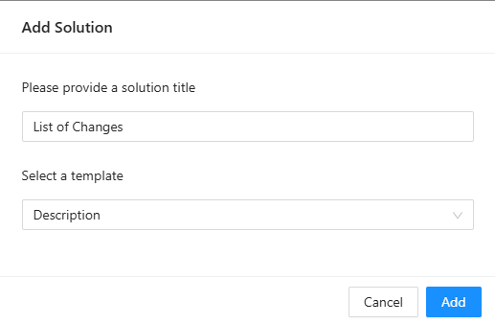
Create a new solution of type Description.
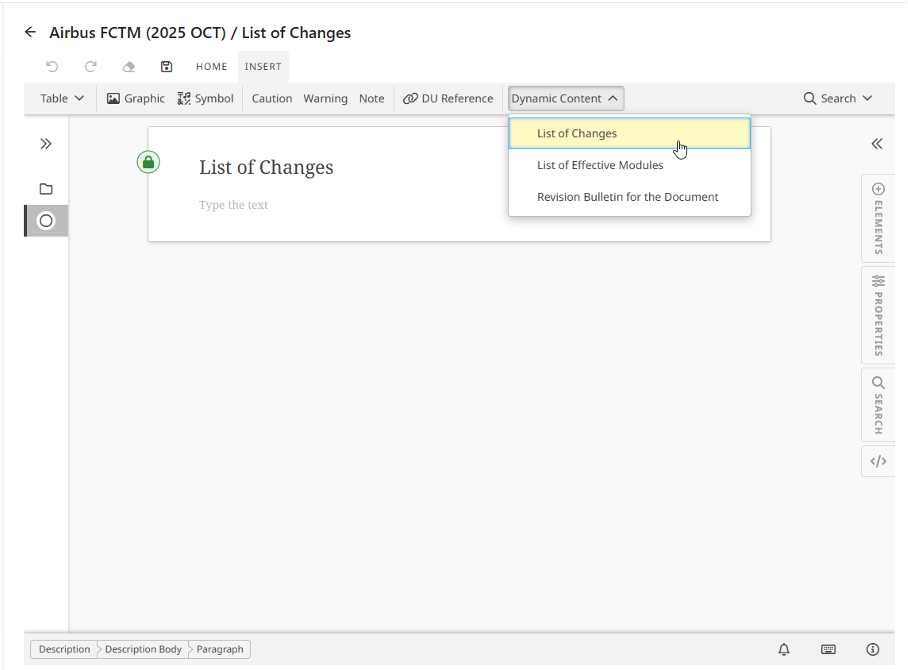
Edit the module.
Add the List of Changes via the INSERT toolbar.
Adjust the dynamic content as required (e.g., reorder or remove properties).
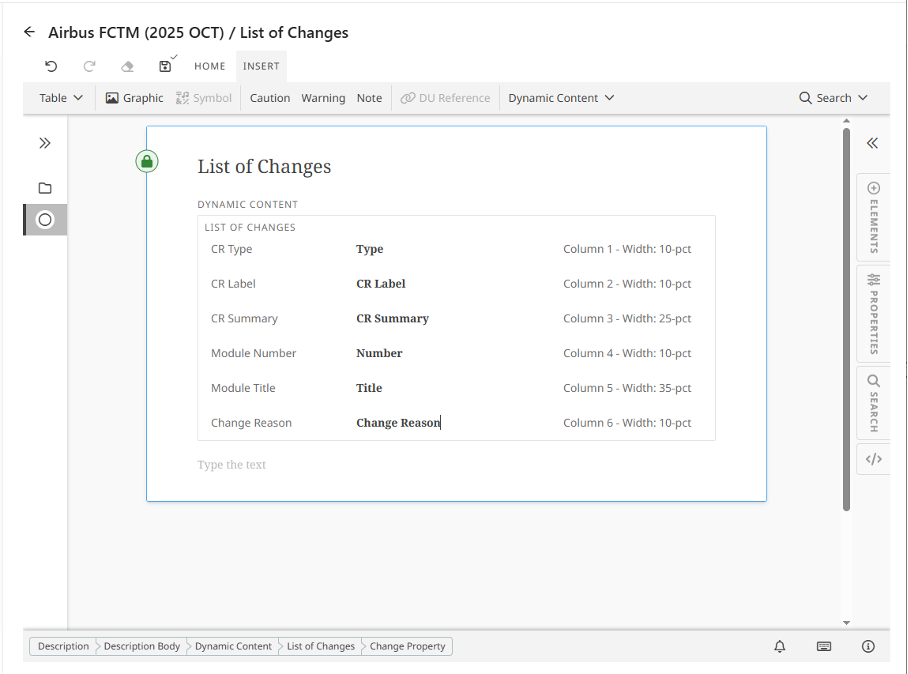 Options include reordering the properties or removing them entirely.:
Save and publish the changes.
Result:
A table is created where each change request is listed in a separate row.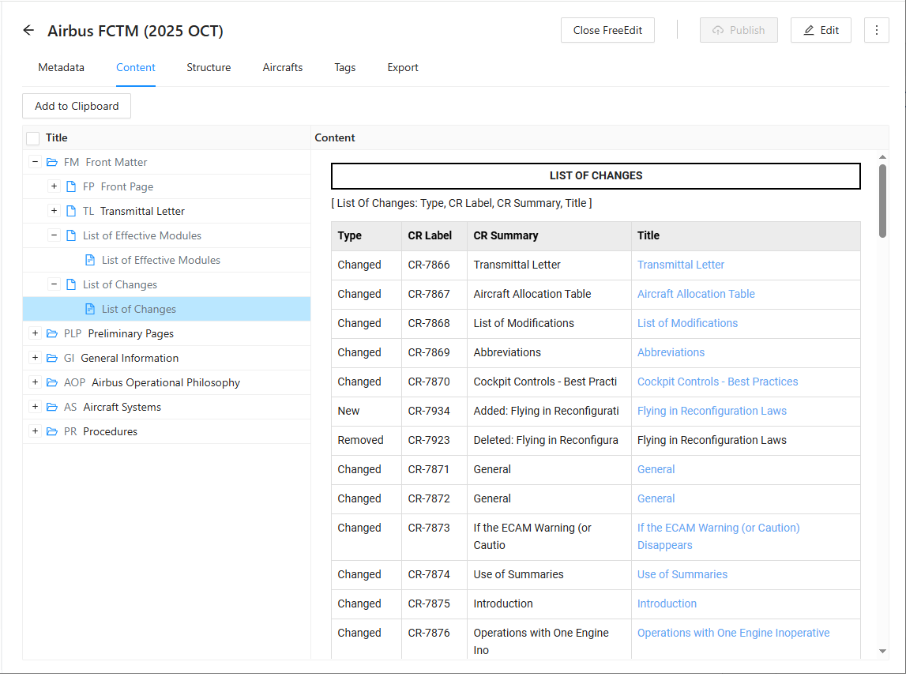
3. Revision Bulletin
How to Add:
Create a new solution of type Description.
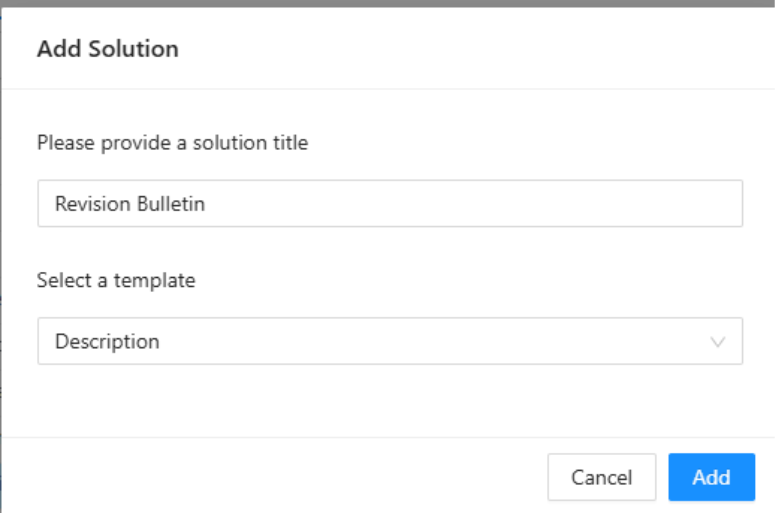
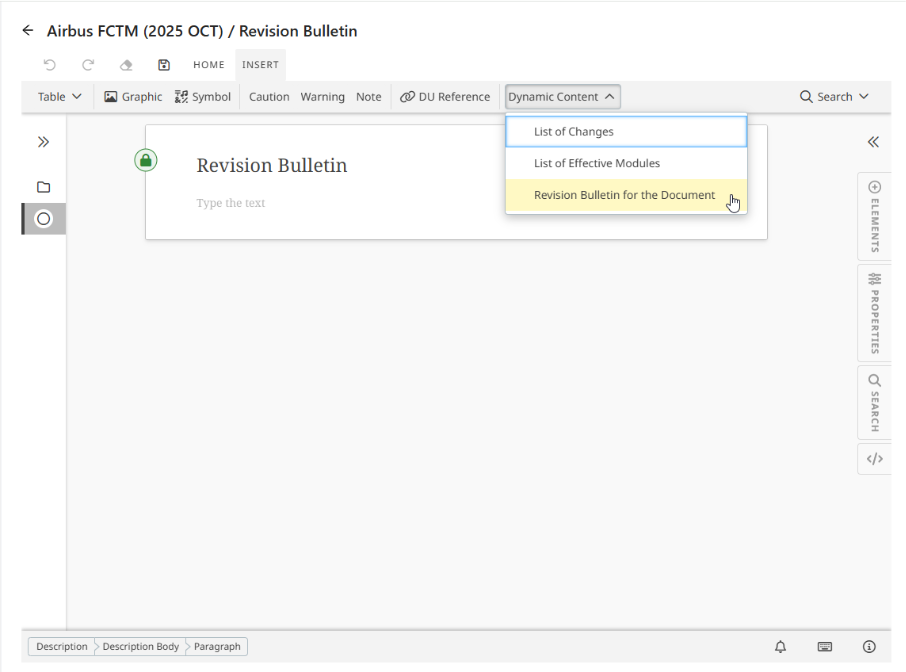
Edit the module.
Add the List of Effective Modules via the INSERT toolbar.
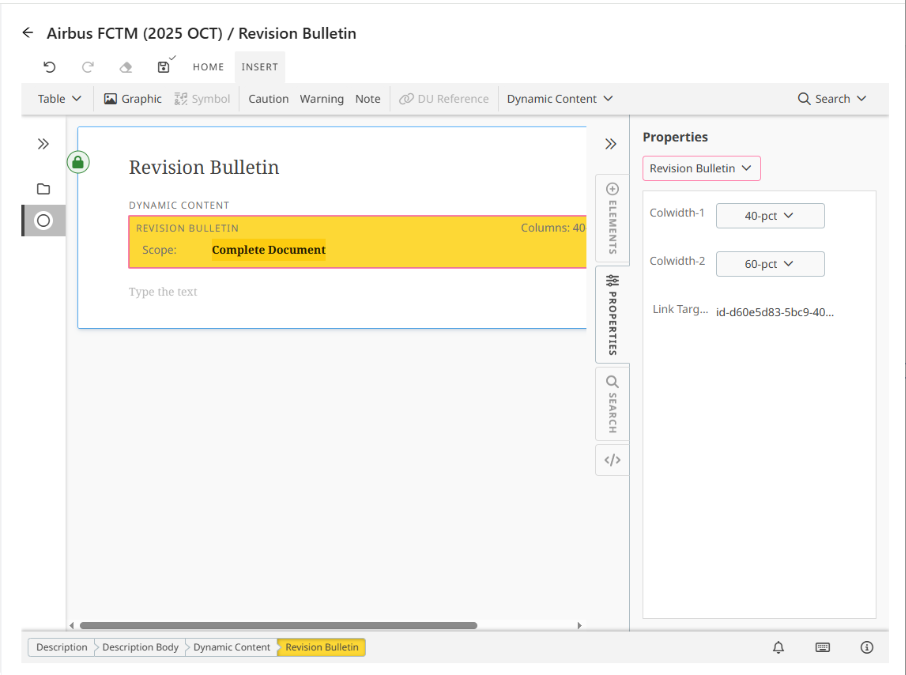
Adjust column widths as required.
Save and publish the changes.
Result:
A borderless table is inserted listing all change requests along with their descriptions.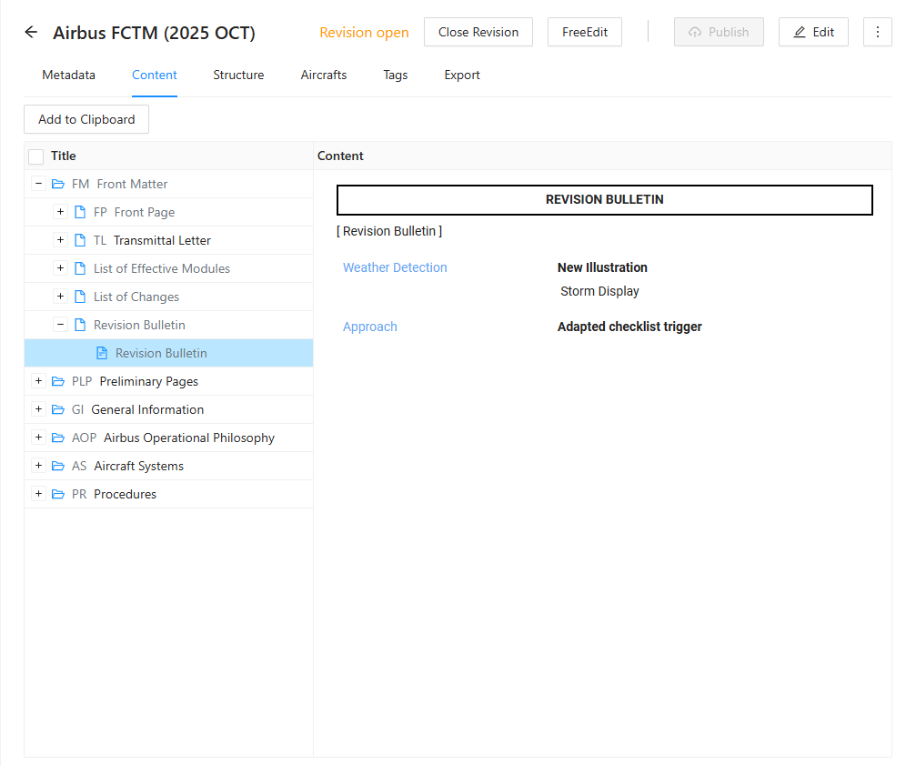
Was this article helpful?
That’s Great!
Thank you for your feedback
Sorry! We couldn't be helpful
Thank you for your feedback
Feedback sent
We appreciate your effort and will try to fix the article