TABLE OF CONTENTS
Export Profiles
The Export Profiles functionality of the Yonder Admin Interface allows selected users to create new export profiles and upload the required style packages. Existing export profiles can also be edited or deleted.
Note: The CSS style packages and the export profiles themselves are maintained by Yonder. Therefore, managing export profiles is typically not a task for a local Yonder administrator.
Fuctions
The overview page provides the following functions:
| Action | Description |
|---|---|
| Delete | Deletes the selected export profile. Remark: A confirmation is required before deletion. |
| Add | Creates a new export profile. |
| Upload | Uploads the selected CSS style package for the export profile. |
| Edit | Opens the edit mask where the Description of the export profile can be modified. |
Export Profile Types
The following export profile types are available:
| Type | Description |
|---|---|
| Yonder Raw | Raw XML export type. |
| iDoc Browser | Raw XML export type with an additional CSS style package, used for the external software iDoc Browser. |
| Yonder-Managed PDF | PDF export type with a corresponding CSS style package. |
| Report | CSV report export type. The report content and format are configured via the style package. |
Manage Export Profiles
Add an Export Profile
To define a new export profile, select “+ Add” on the Export Profiles overview page.
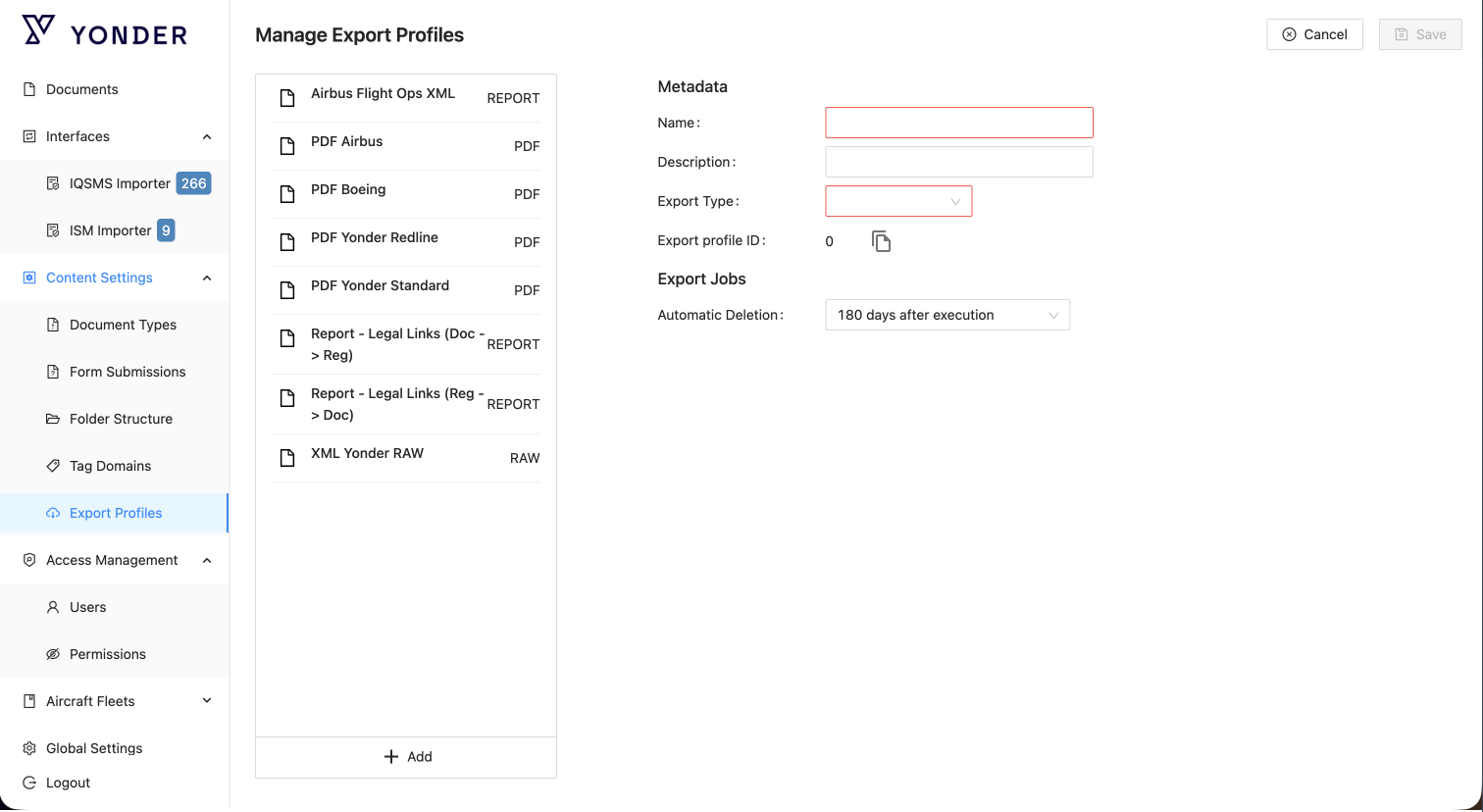
Enter the required metadata fields as described below:
| Field | Description |
|---|---|
| Name | (Mandatory) – Name of the export profile that will be displayed for selection. |
| Description | (Optional) – Description of the export profile visible in the Admin Console. |
| Export Type | Select the desired export type: Yonder Raw, PDF, or Report. |
| Export Jobs – Automatic Deletion | Define after how many days exported files should be automatically deleted. Once deleted, these files will no longer be available for download or via the API for external systems. |
Enter the required Export Job retention period:
| Field | Description |
|---|---|
| Automatic Deletion | Define after how many days exported files should be automatically deleted. Once deleted, these files will no longer be available for download or via the API for external systems. |
Was this article helpful?
That’s Great!
Thank you for your feedback
Sorry! We couldn't be helpful
Thank you for your feedback
Feedback sent
We appreciate your effort and will try to fix the article