TABLE OF CONTENTS
General
The Tags tab allows authorised users to assign specific tags to individual information modules.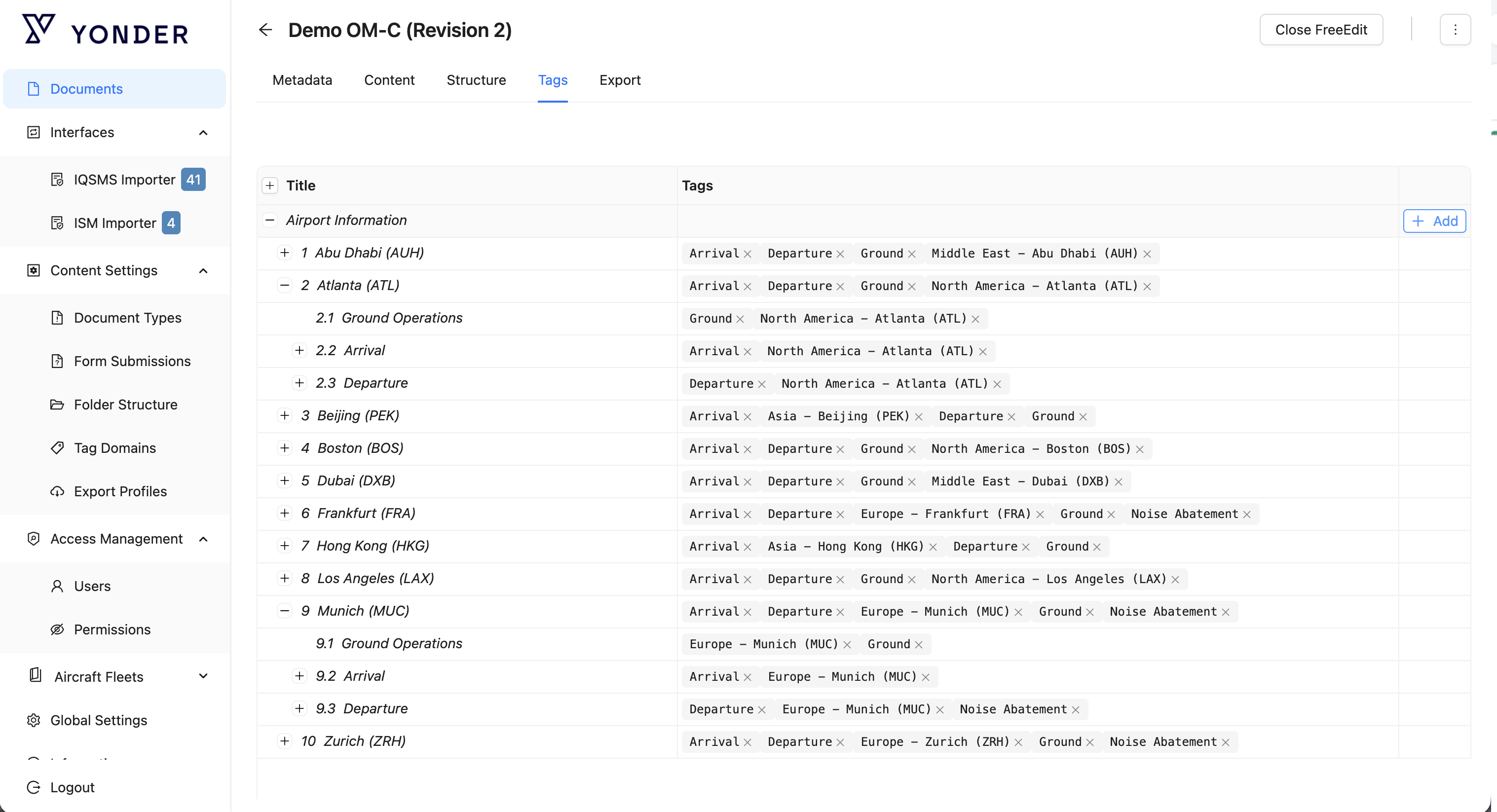
To assign tags:
- Hover over the relevant chapter and select Add.
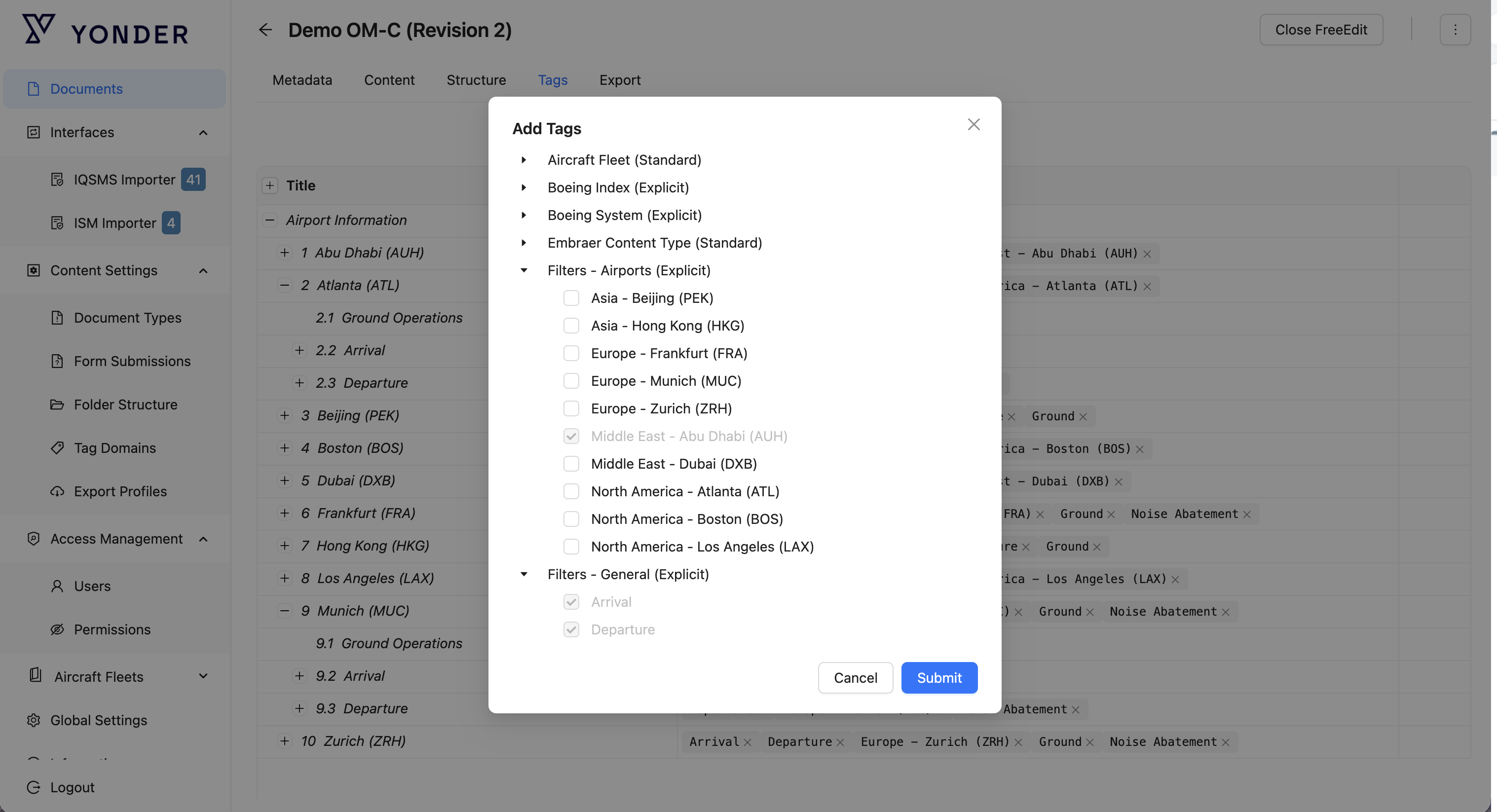
- In the pop-up window, select the desired tag or tags.
- Multiple tags can be selected at the same time.
- Select Submit to save the selected tags.
Remark:
Only tags from the document’s assigned tag domains can be applied to its content.
Was this article helpful?
That’s Great!
Thank you for your feedback
Sorry! We couldn't be helpful
Thank you for your feedback
Feedback sent
We appreciate your effort and will try to fix the article